<figure class="wp-block-image aligncenter"><img alt="Step by Step Guide to solve n8n vs zapier pricing cost" decoding="async" src="https://flowgenius.in/wp-content/uploads/2026/01/n8n-vs-zapier-pricing-cost.png"/> <figcaption style="text-align: center;">Step by Step Guide to solve n8n vs zapier pricing cost</p>
<hr/>
</figcaption></figure>
<p style="margin-bottom: 2em; line-height: 1.9;"><strong>Who this is for:</strong> Teams and individuals who run recurring automations and want to keep their monthly spend under control while choosing the right platform for their workload. <strong>We cover this in detail in the </strong>n8n vs Zapier Comparison Guide.</p>
<hr style="margin: 60px 0; border: none; border-top: 1px solid #eee;"/>
<h2 style="margin-bottom: 45px; line-height: 1.3;">Quick Diagnosis</h2>
<p style="margin-bottom: 2em; line-height: 1.9;"><strong>Problem:</strong> Your automation budget is leaking because you’re paying for features you never use or scaling on a pricing model that explodes with volume.</p>
<p style="margin-bottom: 2em; line-height: 1.9;"><strong>One‑sentence solution:</strong> Pick the plan that matches your real task volume and feature set. Then use the cost‑projection worksheet below to forecast spend before you add the next workflow.</p>
<p style="margin-bottom: 2em; line-height: 1.9;"><em>In production, this usually shows up when the task count silently creeps past the free tier. The bill then spikes the next month.</em></p>
<hr style="margin: 60px 0; border: none; border-top: 1px solid #eee;"/>
<figure class="wp-block-image aligncenter" style="padding-top:20px; padding-bottom:40px;">
<img src="https://flowgenius.in/wp-content/uploads/2026/02/6195_diagram-1-7.png"/><br />
</figure>
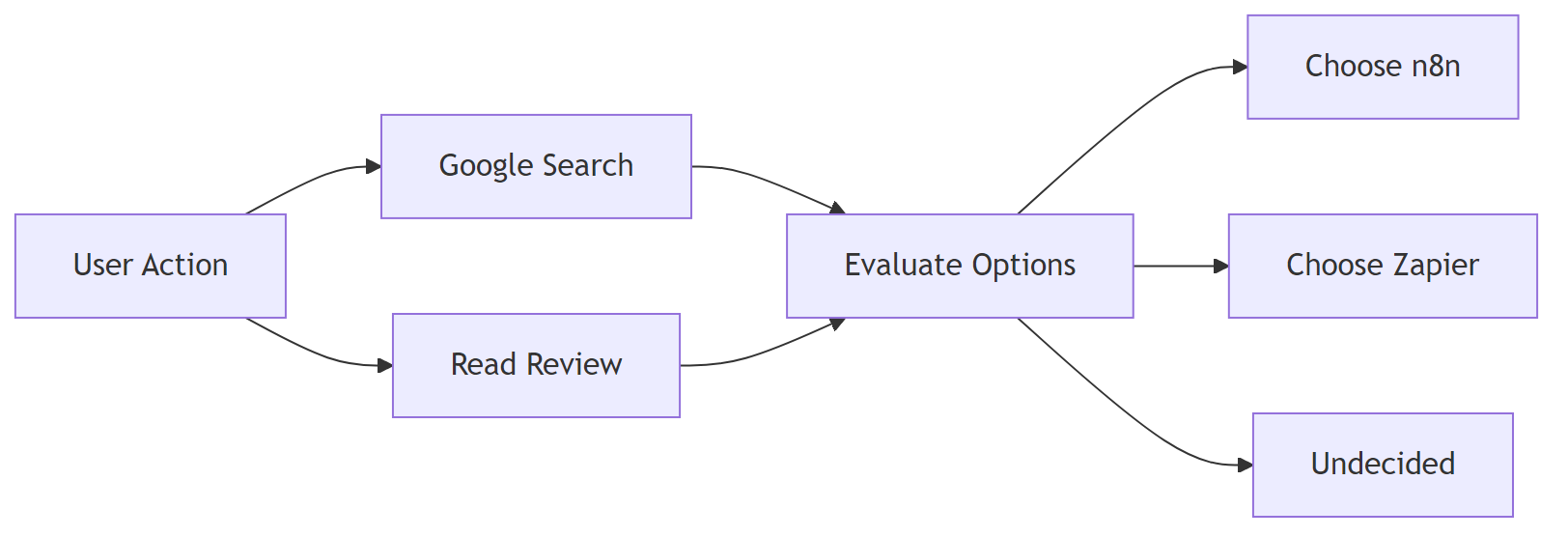
<h2 style="margin-bottom: 45px; line-height: 1.3;">1. Pricing Models at a Glance: How the Two Platforms Charge?</h2>
<p>If you encounter any <a href="/n8n-vs-zapier-features-comparison">n8n vs zapier features comparison </a>resolve them before continuing with the setup.</p>
<table style="border-collapse: collapse; width: 100%; margin-bottom: 2em;">
<thead>
<tr>
<th style="border: 1px solid #e0e0e0; padding: 13px;">Pricing Dimension</th>
<th style="border: 1px solid #e0e0e0; padding: 13px;">n8n (Self‑Hosted)</th>
<th style="border: 1px solid #e0e0e0; padding: 13px;">n8n Cloud</th>
<th style="border: 1px solid #e0e0e0; padding: 13px;">Zapier</th>
</tr>
</thead>
<tbody>
<tr>
<td style="border: 1px solid #e0e0e0; padding: 13px;">Base tier</td>
<td style="border: 1px solid #e0e0e0; padding: 13px;">Free (open‑source) – you host it yourself</td>
<td style="border: 1px solid #e0e0e0; padding: 13px;">Free (100 tasks/mo)</td>
<td style="border: 1px solid #e0e0e0; padding: 13px;">Free (100 tasks/mo)</td>
</tr>
<tr>
<td style="border: 1px solid #e0e0e0; padding: 13px;">Paid tier name</td>
<td style="border: 1px solid #e0e0e0; padding: 13px;">—</td>
<td style="border: 1px solid #e0e0e0; padding: 13px;"><strong>Starter</strong> – $20/mo (2 000 tasks)</td>
<td style="border: 1px solid #e0e0e0; padding: 13px;"><strong>Starter</strong> – $19.99/mo (750 tasks)</td>
</tr>
<tr>
<td style="border: 1px solid #e0e0e0; padding: 13px;">Task definition</td>
<td style="border: 1px solid #e0e0e0; padding: 13px;">One execution of a node (including loops)</td>
<td style="border: 1px solid #e0e0e0; padding: 13px;">One execution of a node</td>
<td style="border: 1px solid #e0e0e0; padding: 13px;">One “Zap” run (trigger + actions)</td>
</tr>
<tr>
<td style="border: 1px solid #e0e0e0; padding: 13px;">Scaling unit</td>
<td style="border: 1px solid #e0e0e0; padding: 13px;">Tasks / month (self‑hosted you set limits)</td>
<td style="border: 1px solid #e0e0e0; padding: 13px;">Tasks / month</td>
<td style="border: 1px solid #e0e0e0; padding: 13px;">Tasks / month</td>
</tr>
<tr>
<td style="border: 1px solid #e0e0e0; padding: 13px;">Price per 1 000 tasks</td>
<td style="border: 1px solid #e0e0e0; padding: 13px;">$0 (self‑hosted) – only server cost</td>
<td style="border: 1px solid #e0e0e0; padding: 13px;">$10 (Starter) → $8 (Professional) → $6 (Enterprise)</td>
<td style="border: 1px solid #e0e0e0; padding: 13px;">$24 (Starter) → $20 (Professional) → $16 (Enterprise)</td>
</tr>
<tr>
<td style="border: 1px solid #e0e0e0; padding: 13px;">Feature lock</td>
<td style="border: 1px solid #e0e0e0; padding: 13px;">All nodes available in free tier</td>
<td style="border: 1px solid #e0e0e0; padding: 13px;">Premium nodes only on paid plans</td>
<td style="border: 1px solid #e0e0e0; padding: 13px;">Premium apps & multi‑step Zaps locked behind paid plans</td>
</tr>
<tr>
<td style="border: 1px solid #e0e0e0; padding: 13px;">Support level</td>
<td style="border: 1px solid #e0e0e0; padding: 13px;">Community (free)</td>
<td style="border: 1px solid #e0e0e0; padding: 13px;">Email (paid)</td>
<td style="border: 1px solid #e0e0e0; padding: 13px;">Email (paid)</td>
</tr>
<tr>
<td style="border: 1px solid #e0e0e0; padding: 13px;">Self‑hosting cost</td>
<td style="border: 1px solid #e0e0e0; padding: 13px;">Server + storage (e.g., $5–$30/mo on VPS)</td>
<td style="border: 1px solid #e0e0e0; padding: 13px;">N/A</td>
<td style="border: 1px solid #e0e0e0; padding: 13px;">N/A</td>
</tr>
</tbody>
</table>
<p style="margin-bottom: 2em; line-height: 1.9;"><strong>Key takeaway:</strong> n8n’s self‑hosted version has <strong>no per‑task charge</strong> – you only pay for the underlying server. Zapier’s cost is strictly per‑task; high‑volume users see exponential price growth.</p>
<hr style="margin: 60px 0; border: none; border-top: 1px solid #eee;"/>
<figure class="wp-block-image aligncenter" style="padding-top:20px; padding-bottom:40px;">
<img src="https://flowgenius.in/wp-content/uploads/2026/02/6195_diagram-2-6.png"/><br />
</figure>
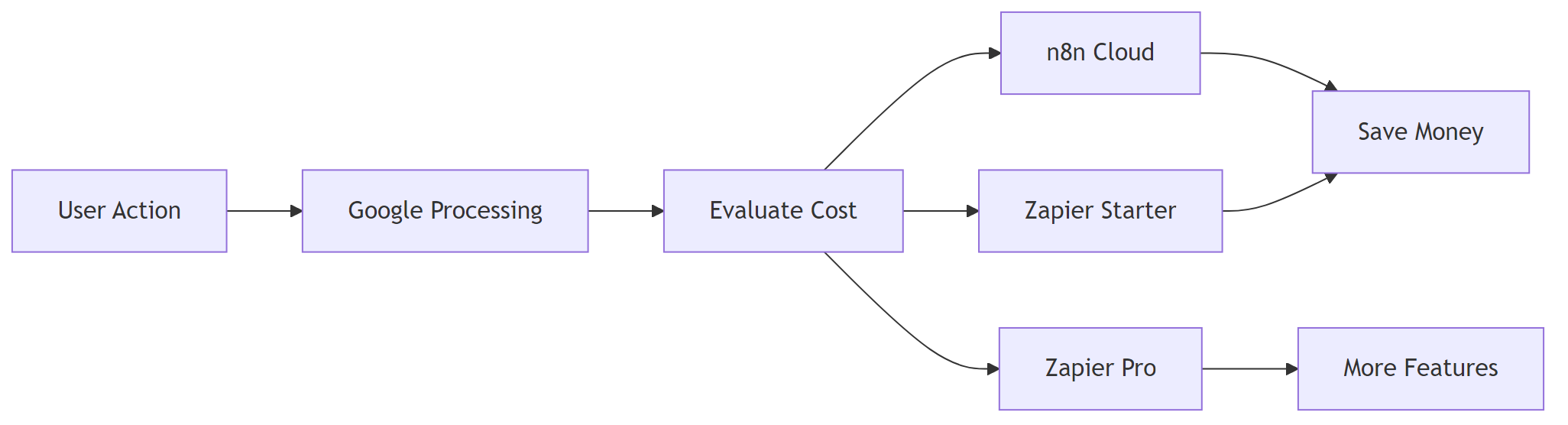
<h2 style="margin-bottom: 45px; line-height: 1.3;">2. Detailed Cost Breakdown by Use‑Case</h2>
<p>If you encounter any <a href="/n8n-vs-zapier-enterprise-security">n8n vs zapier enterprise security </a>resolve them before continuing with the setup.</p>
<h3 style="margin-bottom: 45px; line-height: 1.3;">2.1 n8n (Self‑Hosted & Cloud) Costs</h3>
<table style="border-collapse: collapse; width: 100%; margin-bottom: 2em;">
<thead>
<tr>
<th style="border: 1px solid #e0e0e0; padding: 13px;">Use‑Case</th>
<th style="border: 1px solid #e0e0e0; padding: 13px;">Approx. Monthly Tasks</th>
<th style="border: 1px solid #e0e0e0; padding: 13px;">n8n Self‑Hosted (incl. VPS)</th>
<th style="border: 1px solid #e0e0e0; padding: 13px;">n8n Cloud (Starter)</th>
</tr>
</thead>
<tbody>
<tr>
<td style="border: 1px solid #e0e0e0; padding: 13px;">Personal productivity (≤ 200 tasks)</td>
<td style="border: 1px solid #e0e0e0; padding: 13px;">150</td>
<td style="border: 1px solid #e0e0e0; padding: 13px;">$5 (tiny VPS) – free software</td>
<td style="border: 1px solid #e0e0e0; padding: 13px;">$20 (free tier)</td>
</tr>
<tr>
<td style="border: 1px solid #e0e0e0; padding: 13px;">SMB marketing automation (≈ 2 000 tasks)</td>
<td style="border: 1px solid #e0e0e0; padding: 13px;">2 000</td>
<td style="border: 1px solid #e0e0e0; padding: 13px;">$5–$10 (small VPS)</td>
<td style="border: 1px solid #e0e0e0; padding: 13px;">$20 (Starter)</td>
</tr>
<tr>
<td style="border: 1px solid #e0e0e0; padding: 13px;">E‑commerce order processing (≈ 10 000 tasks)</td>
<td style="border: 1px solid #e0e0e0; padding: 13px;">10 000</td>
<td style="border: 1px solid #e0e0e0; padding: 13px;">$10–$15 (mid‑size VPS)</td>
<td style="border: 1px solid #e0e0e0; padding: 13px;">$80 (Professional)</td>
</tr>
<tr>
<td style="border: 1px solid #e0e0e0; padding: 13px;">Enterprise data pipelines (≈ 100 000 tasks)</td>
<td style="border: 1px solid #e0e0e0; padding: 13px;">100 000</td>
<td style="border: 1px solid #e0e0e0; padding: 13px;">$30–$50 (dedicated VM)</td>
<td style="border: 1px solid #e0e0e0; padding: 13px;">$600 (Enterprise)</td>
</tr>
</tbody>
</table>
<blockquote style="margin: 0 0 2em 0; padding-left: 1em; border-left: 4px solid #e0e0e0;">
<p style="margin-bottom: 0; line-height: 1.9;"><strong>EEFA note:</strong> When self‑hosting n8n, factor in <em>operational overhead</em> (security patches, backups). For mission‑critical pipelines allocate at least <strong>20 %</strong> of the VPS budget for monitoring and incident response.</p>
</blockquote>
<h3 style="margin-bottom: 45px; line-height: 1.3;">2.2 Zapier Costs</h3>
<table style="border-collapse: collapse; width: 100%; margin-bottom: 2em;">
<thead>
<tr>
<th style="border: 1px solid #e0e0e0; padding: 13px;">Use‑Case</th>
<th style="border: 1px solid #e0e0e0; padding: 13px;">Zapier Starter</th>
<th style="border: 1px solid #e0e0e0; padding: 13px;">Zapier Professional</th>
</tr>
</thead>
<tbody>
<tr>
<td style="border: 1px solid #e0e0e0; padding: 13px;">Personal productivity (≤ 200 tasks)</td>
<td style="border: 1px solid #e0e0e0; padding: 13px;">$0 (Free tier)</td>
<td style="border: 1px solid #e0e0e0; padding: 13px;">$19.99 (Starter)</td>
</tr>
<tr>
<td style="border: 1px solid #e0e0e0; padding: 13px;">SMB marketing automation (≈ 2 000 tasks)</td>
<td style="border: 1px solid #e0e0e0; padding: 13px;">$19.99 (Starter) → $39.98 (overage)</td>
<td style="border: 1px solid #e0e0e0; padding: 13px;">$19.99 (Professional)</td>
</tr>
<tr>
<td style="border: 1px solid #e0e0e0; padding: 13px;">E‑commerce order processing (≈ 10 000 tasks)</td>
<td style="border: 1px solid #e0e0e0; padding: 13px;">$199.90 (Professional) + overage</td>
<td style="border: 1px solid #e0e0e0; padding: 13px;">$199.90 (Professional)</td>
</tr>
<tr>
<td style="border: 1px solid #e0e0e0; padding: 13px;">Enterprise data pipelines (≈ 100 000 tasks)</td>
<td style="border: 1px solid #e0e0e0; padding: 13px;">$1 599.90 (Enterprise) + overage</td>
<td style="border: 1px solid #e0e0e0; padding: 13px;">$1 599.90 (Enterprise)</td>
</tr>
</tbody>
</table>
<hr style="margin: 60px 0; border: none; border-top: 1px solid #eee;"/>
<figure class="wp-block-image aligncenter" style="padding-top:20px; padding-bottom:40px;">
<img src="https://flowgenius.in/wp-content/uploads/2026/02/6195_diagram-3-6.png"/><br />
</figure>
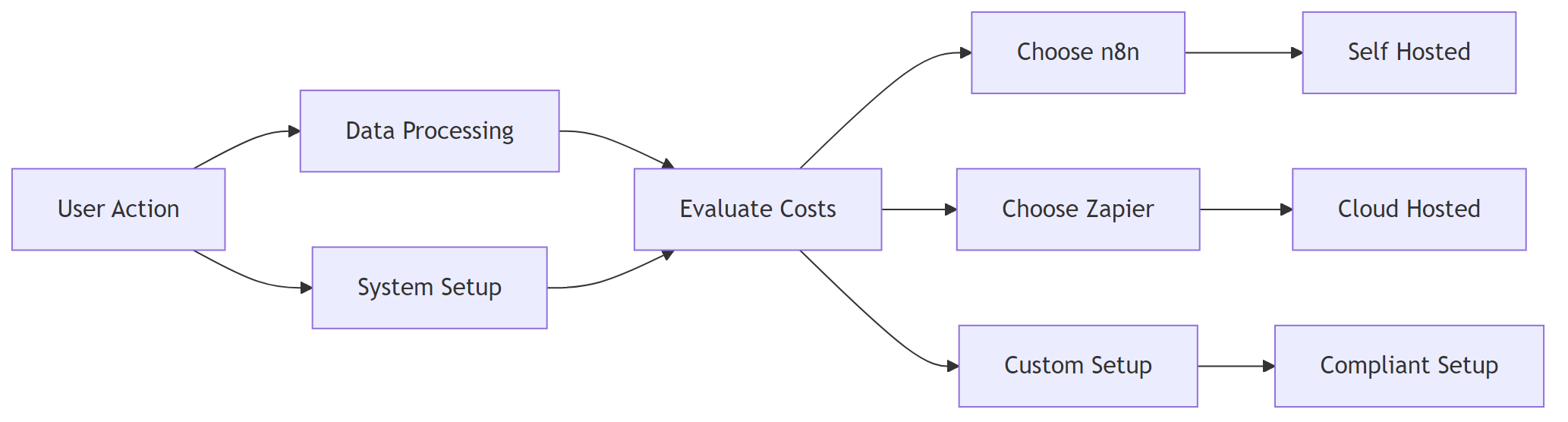
<h2 style="margin-bottom: 45px; line-height: 1.3;">3. Hidden Costs & Scaling Pitfalls</h2>
<p>If you encounter any <a href="/n8n-vs-zapier-performance-scaling">n8n vs zapier performance scaling </a>resolve them before continuing with the setup.</p>
<table style="border-collapse: collapse; width: 100%; margin-bottom: 2em;">
<thead>
<tr>
<th style="border: 1px solid #e0e0e0; padding: 13px;">Hidden Cost</th>
<th style="border: 1px solid #e0e0e0; padding: 13px;">n8n (Self‑Hosted)</th>
<th style="border: 1px solid #e0e0e0; padding: 13px;">n8n Cloud</th>
<th style="border: 1px solid #e0e0e0; padding: 13px;">Zapier</th>
</tr>
</thead>
<tbody>
<tr>
<td style="border: 1px solid #e0e0e0; padding: 13px;">Data egress / API rate limits</td>
<td style="border: 1px solid #e0e0e0; padding: 13px;">You control network; may incur cloud provider egress fees</td>
<td style="border: 1px solid #e0e0e0; padding: 13px;">Limited to 1 GB/month outbound (extra $0.09/GB)</td>
<td style="border: 1px solid #e0e0e0; padding: 13px;">No egress fees, but <em>per‑task</em> limits can cause throttling</td>
</tr>
<tr>
<td style="border: 1px solid #e0e0e0; padding: 13px;">Premium integrations</td>
<td style="border: 1px solid #e0e0e0; padding: 13px;">All nodes are open source; no extra charge</td>
<td style="border: 1px solid #e0e0e0; padding: 13px;">Premium nodes require <strong>Professional</strong> or <strong>Enterprise</strong> plan</td>
<td style="border: 1px solid #e0e0e0; padding: 13px;">Premium apps (e.g., Salesforce) cost <strong>+$20/mo</strong> per app on top of plan</td>
</tr>
<tr>
<td style="border: 1px solid #e0e0e0; padding: 13px;">Workflow versioning & audit</td>
<td style="border: 1px solid #e0e0e0; padding: 13px;">Free via Git integration (requires setup)</td>
<td style="border: 1px solid #e0e0e0; padding: 13px;">Versioning only on <strong>Enterprise</strong></td>
<td style="border: 1px solid #e0e0e0; padding: 13px;">No built‑in versioning; need external logging</td>
</tr>
<tr>
<td style="border: 1px solid #e0e0e0; padding: 13px;">Team collaboration</td>
<td style="border: 1px solid #e0e0e0; padding: 13px;">Add Auth0/Keycloak yourself (extra cost)</td>
<td style="border: 1px solid #e0e0e0; padding: 13px;">Starter: 1 user, Professional: 5 users, Enterprise: unlimited (additional $10/user)</td>
<td style="border: 1px solid #e0e0e0; padding: 13px;">Starter: 1 user, Professional: 3 users, Enterprise: unlimited (additional $15/user)</td>
</tr>
<tr>
<td style="border: 1px solid #e0e0e0; padding: 13px;">Compliance certifications</td>
<td style="border: 1px solid #e0e0e0; padding: 13px;">You must obtain your own SOC2/ISO (cost varies)</td>
<td style="border: 1px solid #e0e0e0; padding: 13px;">Enterprise includes SOC2/ISO</td>
<td style="border: 1px solid #e0e0e0; padding: 13px;">Enterprise includes SOC2/ISO</td>
</tr>
</tbody>
</table>
<p style="margin-bottom: 2em; line-height: 1.9;"><strong>Practical tip:</strong> If you need <strong>PCI‑DSS</strong> or <strong>HIPAA</strong> compliance, the self‑hosted route often ends up more expensive because you have to pay for third‑party audits. In that scenario, Zapier Enterprise may be cheaper overall despite higher per‑task fees.</p>
<p style="margin-bottom: 2em; line-height: 1.9;"><em>Most teams run into this after a few weeks—not on day one—when the compliance requirements start to bite.</em></p>
<hr style="margin: 60px 0; border: none; border-top: 1px solid #eee;"/>
<h2 style="margin-bottom: 45px; line-height: 1.3;">4. Step‑by‑Step Cost‑Projection Worksheet</h2>
<ol style="margin-bottom: 1.8em; line-height: 1.9;">
<li>List all automation triggers (e.g., new Shopify order, inbound email).</li>
<li>Estimate average runs per trigger per month (use historic data or a 30‑day pilot).</li>
<li>Calculate total monthly tasks: <code>Σ (trigger runs × average nodes per run)</code>.</li>
<li>Choose a pricing tier based on the tables above.</li>
<li>Add infrastructure cost (only for n8n self‑hosted).</li>
<li>Add hidden‑cost buffers (premium node fees, egress, compliance).</li>
<li>Compare the total with your budget.</li>
</ol>
<blockquote style="margin: 0 0 2em 0; padding-left: 1em; border-left: 4px solid #e0e0e0;">
<p style="margin-bottom: 0; line-height: 1.9;"><strong>Example</strong> – A SaaS startup processes 12 000 webhook events/month, each workflow has 4 nodes.</p>
<p style="margin-bottom: 0; line-height: 1.9;">– Total tasks = 12 000 × 4 = 48 000.<br />
– n8n Cloud Professional: $600 + $0.09 × (48 000 ÷ 1 000 – 2 000) ≈ <strong>$642</strong>.<br />
– Zapier Professional: $199.90 + (48 000 – 2 000) × $0.020 ≈ <strong>$1 179</strong>.<br />
<strong>Result:</strong> n8n saves roughly 45 % at this scale.</p>
</blockquote>
<hr style="margin: 60px 0; border: none; border-top: 1px solid #eee;"/>
<h2 style="margin-bottom: 45px; line-height: 1.3;">5. Migration Cost Checklist – Moving from Zapier to n8n</h2>
<table style="border-collapse: collapse; width: 100%; margin-bottom: 2em;">
<thead>
<tr>
<th style="border: 1px solid #e0e0e0; padding: 13px;">Checklist Item</th>
<th style="border: 1px solid #e0e0e0; padding: 13px;">Why It Matters</th>
<th style="border: 1px solid #e0e0e0; padding: 13px;">Action</th>
</tr>
</thead>
<tbody>
<tr>
<td style="border: 1px solid #e0e0e0; padding: 13px;">Export Zap definitions</td>
<td style="border: 1px solid #e0e0e0; padding: 13px;">Preserve logic for re‑creation</td>
<td style="border: 1px solid #e0e0e0; padding: 13px;">Use Zapier’s “Export as JSON” (Pro plan) or manually document steps</td>
</tr>
<tr>
<td style="border: 1px solid #e0e0e0; padding: 13px;">Map Zap actions to n8n nodes</td>
<td style="border: 1px solid #e0e0e0; padding: 13px;">Node names differ; some Zapier actions have no direct n8n equivalent</td>
<td style="border: 1px solid #e0e0e0; padding: 13px;">Use n8n’s <strong>“HTTP Request”</strong> node for custom APIs</td>
</tr>
<tr>
<td style="border: 1px solid #e0e0e0; padding: 13px;">Validate authentication</td>
<td style="border: 1px solid #e0e0e0; padding: 13px;">API keys may be scoped differently</td>
<td style="border: 1px solid #e0e0e0; padding: 13px;">Store secrets in **n8n credentials**; test each node individually</td>
</tr>
<tr>
<td style="border: 1px solid #e0e0e0; padding: 13px;">Re‑run with test data</td>
<td style="border: 1px solid #e0e0e0; padding: 13px;">Prevent silent failures in production</td>
<td style="border: 1px solid #e0e0e0; padding: 13px;">Use n8n’s <strong>“Execute Workflow”</strong> button with sample payloads</td>
</tr>
<tr>
<td style="border: 1px solid #e0e0e0; padding: 13px;">Monitor task count</td>
<td style="border: 1px solid #e0e0e0; padding: 13px;">Avoid unexpected overage during cut‑over</td>
<td style="border: 1px solid #e0e0e0; padding: 13px;">Enable <strong>“Workflow Execution Log”</strong> and set alerts at 80 % of plan limit</td>
</tr>
<tr>
<td style="border: 1px solid #e0e0e0; padding: 13px;">Update documentation & SOPs</td>
<td style="border: 1px solid #e0e0e0; padding: 13px;">Teams need clear hand‑off</td>
<td style="border: 1px solid #e0e0e0; padding: 13px;">Create a Confluence page linking to the new n8n workflow URLs</td>
</tr>
</tbody>
</table>
<blockquote style="margin: 0 0 2em 0; padding-left: 1em; border-left: 4px solid #e0e0e0;">
<p style="margin-bottom: 0; line-height: 1.9;"><strong>EEFA warning:</strong> When you switch from Zapier’s built‑in retry logic to n8n, you must configure <strong>error handling</strong> (e.g., “Continue On Fail” or “Retry” nodes). Missing this can cause data loss in high‑throughput pipelines.</p>
</blockquote>
<hr style="margin: 60px 0; border: none; border-top: 1px solid #eee;"/>
<h2 style="margin-bottom: 45px; line-height: 1.3;">6. Cost Summary</h2>
<h3 style="margin-bottom: 45px; line-height: 1.3;">6.1 Free & Cheapest Paid Tiers</h3>
<table style="border-collapse: collapse; width: 100%; margin-bottom: 2em;">
<thead>
<tr>
<th style="border: 1px solid #e0e0e0; padding: 13px;">Platform</th>
<th style="border: 1px solid #e0e0e0; padding: 13px;">Free Tier (tasks/mo)</th>
<th style="border: 1px solid #e0e0e0; padding: 13px;">Cheapest Paid Tier</th>
</tr>
</thead>
<tbody>
<tr>
<td style="border: 1px solid #e0e0e0; padding: 13px;">n8n Self‑Hosted</td>
<td style="border: 1px solid #e0e0e0; padding: 13px;">0 tasks (you host)</td>
<td style="border: 1px solid #e0e0e0; padding: 13px;">—</td>
</tr>
<tr>
<td style="border: 1px solid #e0e0e0; padding: 13px;">n8n Cloud</td>
<td style="border: 1px solid #e0e0e0; padding: 13px;">100 tasks</td>
<td style="border: 1px solid #e0e0e0; padding: 13px;"><strong>Starter</strong> $20</td>
</tr>
<tr>
<td style="border: 1px solid #e0e0e0; padding: 13px;">Zapier</td>
<td style="border: 1px solid #e0e0e0; padding: 13px;">100 tasks</td>
<td style="border: 1px solid #e0e0e0; padding: 13px;"><strong>Starter</strong> $19.99</td>
</tr>
</tbody>
</table>
<h3 style="margin-bottom: 45px; line-height: 1.3;">6.2 Per‑Task Pricing & Typical Scenarios</h3>
<table style="border-collapse: collapse; width: 100%; margin-bottom: 2em;">
<thead>
<tr>
<th style="border: 1px solid #e0e0e0; padding: 13px;">Platform</th>
<th style="border: 1px solid #e0e0e0; padding: 13px;">Cost per 1 000 tasks (paid)</th>
<th style="border: 1px solid #e0e0e0; padding: 13px;">Typical SMB (≈ 2 000 tasks)</th>
<th style="border: 1px solid #e0e0e0; padding: 13px;">Enterprise (≈ 100 000 tasks)</th>
</tr>
</thead>
<tbody>
<tr>
<td style="border: 1px solid #e0e0e0; padding: 13px;">n8n Self‑Hosted</td>
<td style="border: 1px solid #e0e0e0; padding: 13px;">$0 (only server cost)</td>
<td style="border: 1px solid #e0e0e0; padding: 13px;">$5–$10 (tiny VPS)</td>
<td style="border: 1px solid #e0e0e0; padding: 13px;">$30–$50 (dedicated VM)</td>
</tr>
<tr>
<td style="border: 1px solid #e0e0e0; padding: 13px;">n8n Cloud</td>
<td style="border: 1px solid #e0e0e0; padding: 13px;">$10 (Starter) → $6 (Enterprise)</td>
<td style="border: 1px solid #e0e0e0; padding: 13px;">$20 (Starter)</td>
<td style="border: 1px solid #e0e0e0; padding: 13px;">$600 (Enterprise)</td>
</tr>
<tr>
<td style="border: 1px solid #e0e0e0; padding: 13px;">Zapier</td>
<td style="border: 1px solid #e0e0e0; padding: 13px;">$24 (Starter) → $16 (Enterprise)</td>
<td style="border: 1px solid #e0e0e0; padding: 13px;">$39.98 (overage)</td>
<td style="border: 1px solid #e0e0e0; padding: 13px;">$1 599.90 (Enterprise)</td>
</tr>
</tbody>
</table>
<p style="margin-bottom: 2em; line-height: 1.9;"><strong>Bottom line:</strong> If you run <strong>> 5 000 tasks/month</strong>, n8n (especially self‑hosted) is typically <strong>30 %–70 % cheaper</strong> than Zapier. For low‑volume personal use, both free tiers are comparable, but Zapier’s UI may be faster to adopt.</p>
<hr style="margin: 60px 0; border: none; border-top: 1px solid #eee;"/>
<h2 style="margin-bottom: 45px; line-height: 1.3;">7. Actionable Tips to Reduce Automation Spend</h2>
<ul style="margin-bottom: 1.8em; line-height: 1.9;">
<li><strong>Batch triggers:</strong> Consolidate webhook events into a single payload (e.g., use a queue) to lower node executions.</li>
<li><strong>Leverage “Execute Once” nodes:</strong> In n8n, use <strong>Set</strong> or <strong>Function</strong> nodes to compute static values instead of calling an API each run.</li>
<li><strong>Turn off unused workflows:</strong> Disabled Zaps still count toward task limits if they have “Schedule” triggers.</li>
<li><strong>Use conditional branching:</strong> Skip expensive API calls when data already satisfies business rules.</li>
<li><strong>Monitor daily task usage:</strong> Set up a daily n8n or Zapier dashboard alert (via Slack) to catch spikes early.</li>
</ul>
<hr style="margin: 60px 0; border: none; border-top: 1px solid #eee;"/>
<p style="margin-bottom: 2em; line-height: 1.9;"><em>All figures are based on publicly listed pricing as of 2024‑10 and assume standard monthly billing. Prices may vary by region or promotional discounts.</em></p>
Step by Step Guide to solve n8n vs zapier pricing cost
Who this is for: Teams and individuals who run recurring automations and want to keep their monthly spend under control while choosing the right platform for their workload. We cover this in detail in the n8n vs Zapier Comparison Guide.
Quick Diagnosis
Problem: Your automation budget is leaking because you’re paying for features you never use or scaling on a pricing model that explodes with volume.
One‑sentence solution: Pick the plan that matches your real task volume and feature set. Then use the cost‑projection worksheet below to forecast spend before you add the next workflow.
In production, this usually shows up when the task count silently creeps past the free tier. The bill then spikes the next month.
1. Pricing Models at a Glance: How the Two Platforms Charge?
Key takeaway: n8n’s self‑hosted version has no per‑task charge – you only pay for the underlying server. Zapier’s cost is strictly per‑task; high‑volume users see exponential price growth.
EEFA note: When self‑hosting n8n, factor in operational overhead (security patches, backups). For mission‑critical pipelines allocate at least 20 % of the VPS budget for monitoring and incident response.
Practical tip: If you need PCI‑DSS or HIPAA compliance, the self‑hosted route often ends up more expensive because you have to pay for third‑party audits. In that scenario, Zapier Enterprise may be cheaper overall despite higher per‑task fees.
Most teams run into this after a few weeks—not on day one—when the compliance requirements start to bite.
4. Step‑by‑Step Cost‑Projection Worksheet
List all automation triggers (e.g., new Shopify order, inbound email).
Estimate average runs per trigger per month (use historic data or a 30‑day pilot).
Calculate total monthly tasks: Σ (trigger runs × average nodes per run).
Choose a pricing tier based on the tables above.
Add infrastructure cost (only for n8n self‑hosted).
5. Migration Cost Checklist – Moving from Zapier to n8n
Checklist Item
Why It Matters
Action
Export Zap definitions
Preserve logic for re‑creation
Use Zapier’s “Export as JSON” (Pro plan) or manually document steps
Map Zap actions to n8n nodes
Node names differ; some Zapier actions have no direct n8n equivalent
Use n8n’s “HTTP Request” node for custom APIs
Validate authentication
API keys may be scoped differently
Store secrets in **n8n credentials**; test each node individually
Re‑run with test data
Prevent silent failures in production
Use n8n’s “Execute Workflow” button with sample payloads
Monitor task count
Avoid unexpected overage during cut‑over
Enable “Workflow Execution Log” and set alerts at 80 % of plan limit
Update documentation & SOPs
Teams need clear hand‑off
Create a Confluence page linking to the new n8n workflow URLs
EEFA warning: When you switch from Zapier’s built‑in retry logic to n8n, you must configure error handling (e.g., “Continue On Fail” or “Retry” nodes). Missing this can cause data loss in high‑throughput pipelines.
6. Cost Summary
6.1 Free & Cheapest Paid Tiers
Platform
Free Tier (tasks/mo)
Cheapest Paid Tier
n8n Self‑Hosted
0 tasks (you host)
—
n8n Cloud
100 tasks
Starter $20
Zapier
100 tasks
Starter $19.99
6.2 Per‑Task Pricing & Typical Scenarios
Platform
Cost per 1 000 tasks (paid)
Typical SMB (≈ 2 000 tasks)
Enterprise (≈ 100 000 tasks)
n8n Self‑Hosted
$0 (only server cost)
$5–$10 (tiny VPS)
$30–$50 (dedicated VM)
n8n Cloud
$10 (Starter) → $6 (Enterprise)
$20 (Starter)
$600 (Enterprise)
Zapier
$24 (Starter) → $16 (Enterprise)
$39.98 (overage)
$1 599.90 (Enterprise)
Bottom line: If you run > 5 000 tasks/month, n8n (especially self‑hosted) is typically 30 %–70 % cheaper than Zapier. For low‑volume personal use, both free tiers are comparable, but Zapier’s UI may be faster to adopt.
7. Actionable Tips to Reduce Automation Spend
Batch triggers: Consolidate webhook events into a single payload (e.g., use a queue) to lower node executions.
Leverage “Execute Once” nodes: In n8n, use Set or Function nodes to compute static values instead of calling an API each run.
Turn off unused workflows: Disabled Zaps still count toward task limits if they have “Schedule” triggers.
Use conditional branching: Skip expensive API calls when data already satisfies business rules.
Monitor daily task usage: Set up a daily n8n or Zapier dashboard alert (via Slack) to catch spikes early.
All figures are based on publicly listed pricing as of 2024‑10 and assume standard monthly billing. Prices may vary by region or promotional discounts.