<figure class="wp-block-image aligncenter"><img alt="Step by Step Guide to solve n8n vs zapier performance scaling" decoding="async" src="https://flowgenius.in/wp-content/uploads/2026/01/n8n-vs-zapier-performance-scaling.png"/> <figcaption style="text-align: center;">Step by Step Guide to solve n8n vs zapier performance scaling</p>
<hr/>
</figcaption></figure>
<p style="margin-bottom: 2em; line-height: 1.9;"><strong>Who this is for:</strong> Teams that need to decide between a self‑hosted workflow engine (n8n) and a managed SaaS automation platform (Zapier), especially when latency, uptime, or scaling are critical. <strong>We cover this in detail in the </strong>n8n vs Zapier Comparison Guide.</p>
<hr style="margin: 55px 0;"/>
<h2 style="margin-bottom: 45px; line-height: 1.3;">Quick Diagnosis</h2>
<table style="border-collapse: collapse; width: 100%; margin-bottom: 2em;">
<thead>
<tr>
<th style="border: 1px solid #e0e0e0; padding: 13px;">Metric</th>
<th style="border: 1px solid #e0e0e0; padding: 13px;">n8n (self‑hosted)</th>
<th style="border: 1px solid #e0e0e0; padding: 13px;">Zapier (cloud)</th>
</tr>
</thead>
<tbody>
<tr>
<td style="border: 1px solid #e0e0e0; padding: 13px;"><strong>Raw latency per node</strong></td>
<td style="border: 1px solid #e0e0e0; padding: 13px;">30‑120 ms</td>
<td style="border: 1px solid #e0e0e0; padding: 13px;">150‑500 ms</td>
</tr>
<tr>
<td style="border: 1px solid #e0e0e0; padding: 13px;"><strong>SLA</strong></td>
<td style="border: 1px solid #e0e0e0; padding: 13px;">Depends on your infra</td>
<td style="border: 1px solid #e0e0e0; padding: 13px;">99.9 % (paid plans)</td>
</tr>
<tr>
<td style="border: 1px solid #e0e0e0; padding: 13px;"><strong>Task limits</strong></td>
<td style="border: 1px solid #e0e0e0; padding: 13px;">No built‑in caps – limited by CPU, RAM & DB</td>
<td style="border: 1px solid #e0e0e0; padding: 13px;">2 000 tasks/mo (Free) → 100 000 tasks/mo (Professional)</td>
</tr>
<tr>
<td style="border: 1px solid #e0e0e0; padding: 13px;"><strong>Concurrent runs</strong></td>
<td style="border: 1px solid #e0e0e0; padding: 13px;">Configurable via <code>EXECUTIONS_MAX_CONCURRENT</code></td>
<td style="border: 1px solid #e0e0e0; padding: 13px;">Max 10 (Enterprise)</td>
</tr>
</tbody>
</table>
<blockquote style="margin: 0 0 2em 0; padding-left: 1em; border-left: 4px solid #e0e0e0;">
<p style="margin-bottom: 0; line-height: 1.9;"><b>EEFA:</b> If a workflow stalls after a few hundred runs, check Zapier’s concurrency caps or n8n’s worker queue saturation. Scaling Docker/K8s replicas or upgrading the Zapier plan usually fixes it.</p>
</blockquote>
<p style="margin-bottom: 2em; line-height: 1.9;">*In production, you’ll often see these limits bite when you start handling a few hundred events per minute.*</p>
<hr style="margin: 55px 0;"/>
<figure class="wp-block-image aligncenter" style="padding-top:20px; padding-bottom:40px;">
<img src="https://flowgenius.in/wp-content/uploads/2026/02/6198_diagram-1-3.png"/><br />
</figure>
<h2 style="margin-bottom: 45px; line-height: 1.3;">1. Core Performance Metrics</h2>
<p><strong>If you wanna know about </strong><a href="/n8n-vs-zapier-pricing-cost">n8n vs zapier pricing cost </a><strong>check them before continuing with the setup.</strong></p>
<table style="border-collapse: collapse; width: 100%; margin-bottom: 2em;">
<thead>
<tr>
<th style="border: 1px solid #e0e0e0; padding: 13px;">Metric</th>
<th style="border: 1px solid #e0e0e0; padding: 13px;">Zapier (cloud)</th>
<th style="border: 1px solid #e0e0e0; padding: 13px;">n8n (self‑hosted)</th>
</tr>
</thead>
<tbody>
<tr>
<td style="border: 1px solid #e0e0e0; padding: 13px;">Avg. step latency*</td>
<td style="border: 1px solid #e0e0e0; padding: 13px;">150‑500 ms</td>
<td style="border: 1px solid #e0e0e0; padding: 13px;">30‑120 ms (node → node)</td>
</tr>
<tr>
<td style="border: 1px solid #e0e0e0; padding: 13px;">Throughput (steps / sec)</td>
<td style="border: 1px solid #e0e0e0; padding: 13px;">~2‑5 per plan</td>
<td style="border: 1px solid #e0e0e0; padding: 13px;">50‑200 per CPU core</td>
</tr>
<tr>
<td style="border: 1px solid #e0e0e0; padding: 13px;">Cold‑start time (first run)</td>
<td style="border: 1px solid #e0e0e0; padding: 13px;">1‑2 s</td>
<td style="border: 1px solid #e0e0e0; padding: 13px;"><200 ms (warm container)</td>
</tr>
<tr>
<td style="border: 1px solid #e0e0e0; padding: 13px;">Memory per workflow</td>
<td style="border: 1px solid #e0e0e0; padding: 13px;">Managed by Zapier</td>
<td style="border: 1px solid #e0e0e0; padding: 13px;">30‑80 MB (depends on node types)</td>
</tr>
</tbody>
</table>
<p style="margin-bottom: 2em; line-height: 1.9;"><em>*Measured from API receipt to node completion, not counting external service response time.*</em></p>
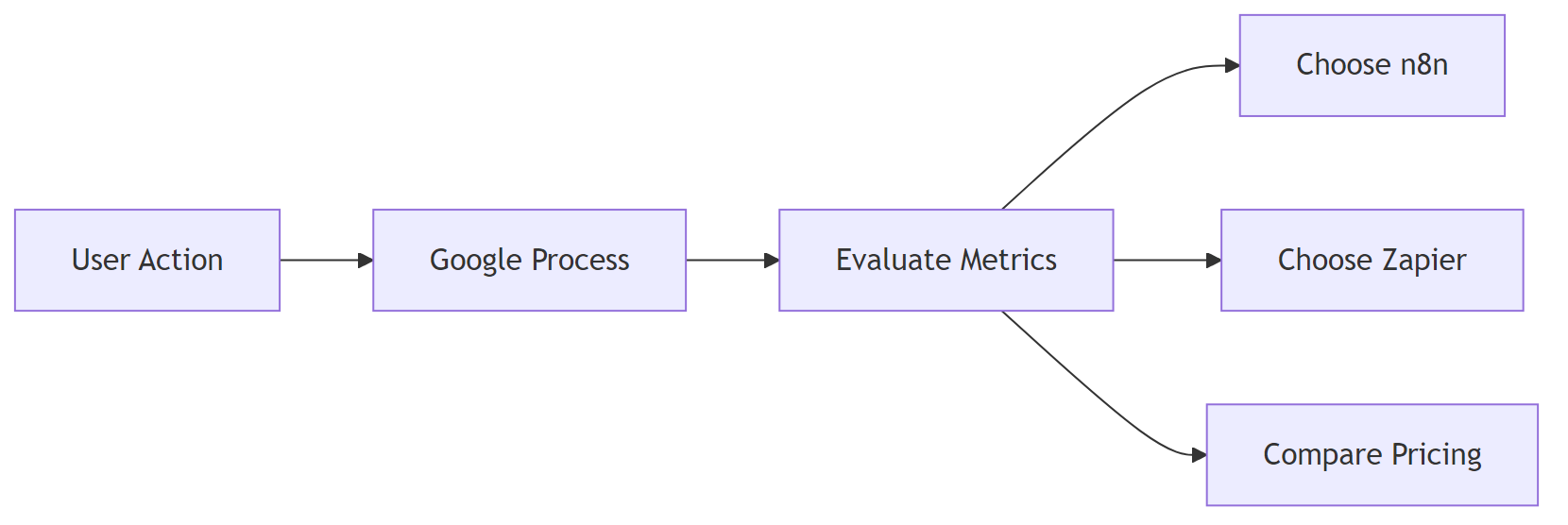
<p style="margin-bottom: 2em; line-height: 1.9;"><strong>Why the gap?</strong><br />
Zapier isolates each step in a sandboxed worker, adding ~100 ms overhead. n8n runs nodes in the same process (or a lightweight pool), so extra latency is minimal.</p>
<p style="margin-bottom: 2em; line-height: 1.9;"><em>On a shared VM, noisy‑neighbor CPU throttling can push n8n latency up to Zapier levels. Use dedicated cores or cgroup limits to protect performance.</em></p>
<hr style="margin: 55px 0;"/>
<figure class="wp-block-image aligncenter" style="padding-top:20px; padding-bottom:40px;">
<img src="https://flowgenius.in/wp-content/uploads/2026/02/6198_diagram-2-3.png"/><br />
</figure>
<h2 style="margin-bottom: 45px; line-height: 1.3;">2. Reliability & Service‑Level Guarantees</h2>
<p>If you need any <a href="/n8n-vs-zapier-features-comparison">n8n vs zapier features comparison </a>check them before continuing with the setup.</p>
<table style="border-collapse: collapse; width: 100%; margin-bottom: 2em;">
<thead>
<tr>
<th style="border: 1px solid #e0e0e0; padding: 13px;">Aspect</th>
<th style="border: 1px solid #e0e0e0; padding: 13px;">Zapier (Paid)</th>
<th style="border: 1px solid #e0e0e0; padding: 13px;">Zapier (Free)</th>
<th style="border: 1px solid #e0e0e0; padding: 13px;">n8n (self‑hosted)</th>
</tr>
</thead>
<tbody>
<tr>
<td style="border: 1px solid #e0e0e0; padding: 13px;">SLA</td>
<td style="border: 1px solid #e0e0e0; padding: 13px;">99.9 % uptime (Enterprise)</td>
<td style="border: 1px solid #e0e0e0; padding: 13px;">No SLA</td>
<td style="border: 1px solid #e0e0e0; padding: 13px;">Your infra SLA (e.g., AWS 99.99 % EC2)</td>
</tr>
<tr>
<td style="border: 1px solid #e0e0e0; padding: 13px;">Automatic retries</td>
<td style="border: 1px solid #e0e0e0; padding: 13px;">Up to 3 × exponential back‑off</td>
<td style="border: 1px solid #e0e0e0; padding: 13px;">Same</td>
<td style="border: 1px solid #e0e0e0; padding: 13px;">Configurable via <strong>Workflow Settings → Retry</strong></td>
</tr>
<tr>
<td style="border: 1px solid #e0e0e0; padding: 13px;">Failure notifications</td>
<td style="border: 1px solid #e0e0e0; padding: 13px;">Email, Slack, SMS (Enterprise)</td>
<td style="border: 1px solid #e0e0e0; padding: 13px;">Email only</td>
<td style="border: 1px solid #e0e0e0; padding: 13px;">Custom webhook or built‑in “Error Trigger”</td>
</tr>
<tr>
<td style="border: 1px solid #e0e0e0; padding: 13px;">Data residency</td>
<td style="border: 1px solid #e0e0e0; padding: 13px;">Zapier data centers (US/EU)</td>
<td style="border: 1px solid #e0e0e0; padding: 13px;">Choose your region</td>
<td style="border: 1px solid #e0e0e0; padding: 13px;">Full control over DB/VM location</td>
</tr>
</tbody>
</table>
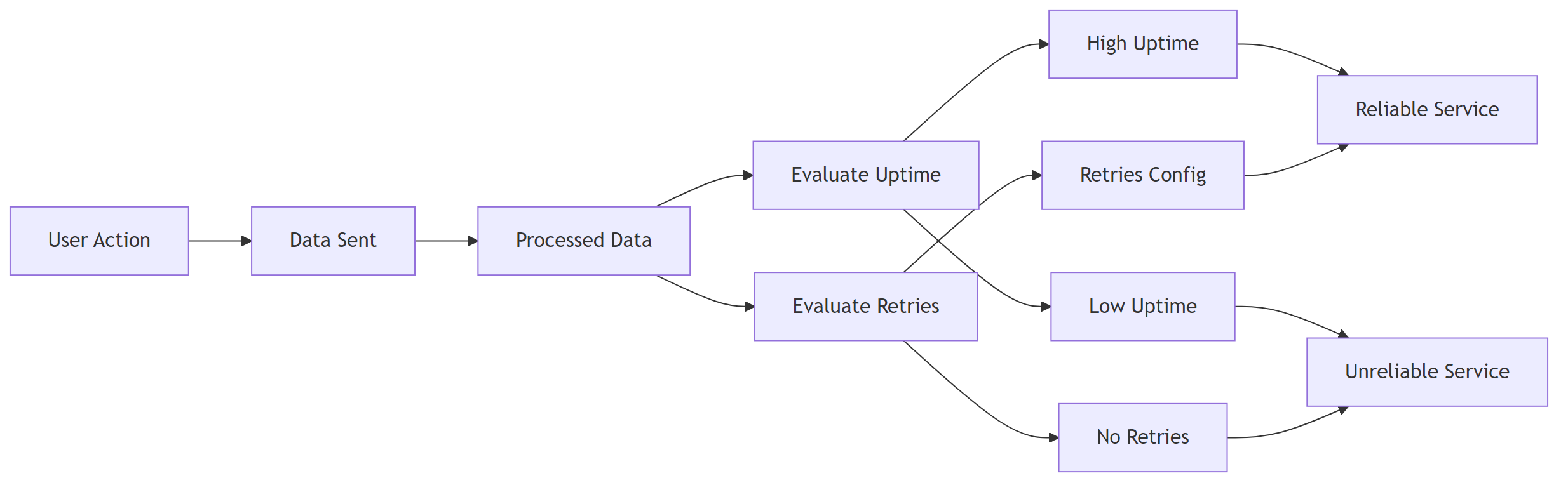
<p style="margin-bottom: 2em; line-height: 1.9;"><strong>Practical implication</strong> – If regulations require data to stay in‑region, n8n gives you that control. For mission‑critical pipelines, pair n8n with Kubernetes HPA and a multi‑AZ deployment to avoid a single point of failure.</p>
<p style="margin-bottom: 2em; line-height: 1.9;"><em>Running n8n on a single VM creates a single point of failure. Back up the SQLite DB or switch to PostgreSQL with replication.</em></p>
<hr style="margin: 55px 0;"/>
<figure class="wp-block-image aligncenter" style="padding-top:20px; padding-bottom:40px;">
<img src="https://flowgenius.in/wp-content/uploads/2026/02/6198_diagram-3-3.png"/><br />
</figure>
<h2 style="margin-bottom: 45px; line-height: 1.3;">3. Workflow Execution Limits</h2>
<table style="border-collapse: collapse; width: 100%; margin-bottom: 2em;">
<thead>
<tr>
<th style="border: 1px solid #e0e0e0; padding: 13px;">Limit</th>
<th style="border: 1px solid #e0e0e0; padding: 13px;">Zapier (Free)</th>
<th style="border: 1px solid #e0e0e0; padding: 13px;">Zapier (Professional)</th>
<th style="border: 1px solid #e0e0e0; padding: 13px;">Zapier (Enterprise)</th>
<th style="border: 1px solid #e0e0e0; padding: 13px;">n8n (Default)</th>
</tr>
</thead>
<tbody>
<tr>
<td style="border: 1px solid #e0e0e0; padding: 13px;">Tasks per month</td>
<td style="border: 1px solid #e0e0e0; padding: 13px;">100</td>
<td style="border: 1px solid #e0e0e0; padding: 13px;">2 000</td>
<td style="border: 1px solid #e0e0e0; padding: 13px;">100 000+</td>
<td style="border: 1px solid #e0e0e0; padding: 13px;">Unlimited (bounded by infra)</td>
</tr>
<tr>
<td style="border: 1px solid #e0e0e0; padding: 13px;">Max steps per workflow</td>
<td style="border: 1px solid #e0e0e0; padding: 13px;">100</td>
<td style="border: 1px solid #e0e0e0; padding: 13px;">100</td>
<td style="border: 1px solid #e0e0e0; padding: 13px;">100</td>
<td style="border: 1px solid #e0e0e0; padding: 13px;">Unlimited (practical ≈ 500 nodes)</td>
</tr>
<tr>
<td style="border: 1px solid #e0e0e0; padding: 13px;">Concurrent runs</td>
<td style="border: 1px solid #e0e0e0; padding: 13px;">1 (Free)</td>
<td style="border: 1px solid #e0e0e0; padding: 13px;">5</td>
<td style="border: 1px solid #e0e0e0; padding: 13px;">10+</td>
<td style="border: 1px solid #e0e0e0; padding: 13px;">Set via <code>EXECUTIONS_MAX_CONCURRENT</code></td>
</tr>
<tr>
<td style="border: 1px solid #e0e0e0; padding: 13px;">Execution timeout</td>
<td style="border: 1px solid #e0e0e0; padding: 13px;">15 min</td>
<td style="border: 1px solid #e0e0e0; padding: 13px;">30 min</td>
<td style="border: 1px solid #e0e0e0; padding: 13px;">60 min</td>
<td style="border: 1px solid #e0e0e0; padding: 13px;"><code>EXECUTIONS_TIMEOUT</code> (default 30 min)</td>
</tr>
</tbody>
</table>
<blockquote style="margin: 0 0 2em 0; padding-left: 1em; border-left: 4px solid #e0e0e0;">
<p style="margin-bottom: 0; line-height: 1.9;"><strong>Tip</strong>: For high‑frequency triggers (e.g., > 100 req/s webhooks), set <code>EXECUTIONS_MAX_CONCURRENT</code> to <code>CPU cores × 2</code>.</p>
</blockquote>
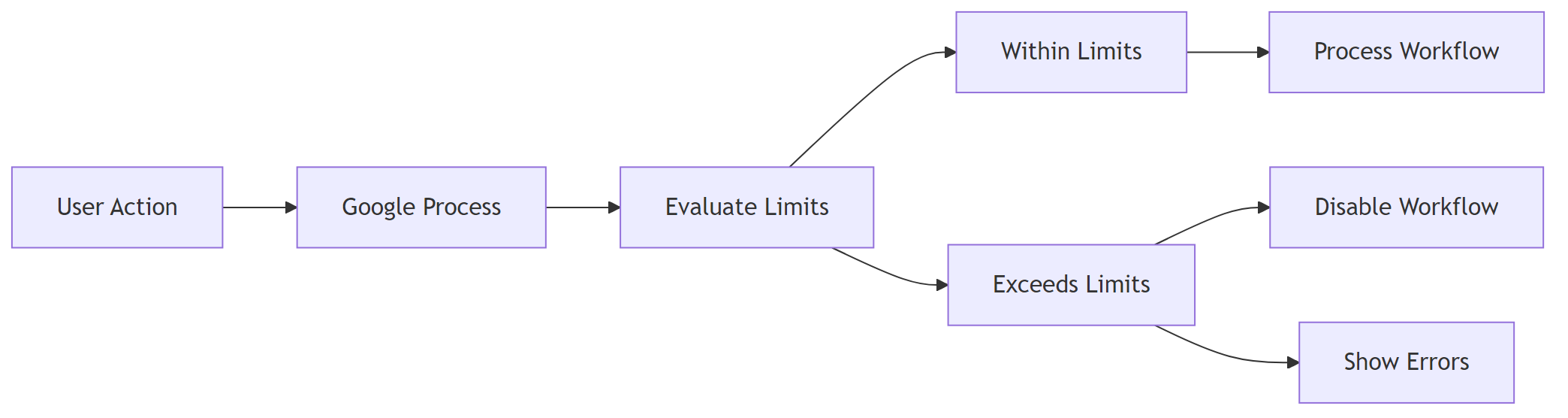
<p style="margin-bottom: 2em; line-height: 1.9;"><em>Zapier enforces hard caps; exceeding them disables the workflow silently. n8n will keep processing until the host runs out of resources, then you’ll see “queue full” errors you can route to a dead‑letter queue. <strong>I</strong>f you encounter any <a href="/n8n-vs-zapier-enterprise-security">n8n vs zapier enterprise security </a>resolve them before continuing with the setup.</em></p>
<hr style="margin: 55px 0;"/>
<h2 style="margin-bottom: 45px; line-height: 1.3;">4. Scaling n8n: From a Single Container to Production‑Grade</h2>
<h3 style="margin-bottom: 45px; line-height: 1.3;">4.1 Docker‑Compose (dev / small‑scale)</h3>
<p style="margin-bottom: 2em; line-height: 1.9;"><em>Define the core services.</em></p>
<pre style="background: #fafafa; padding: 20px; border: 1px solid #e0e0e0; overflow: auto;">version: "3.8"
services:
n8n:
image: n8nio/n8n
ports: ["5678:5678"]
environment:
- EXECUTIONS_MAX_CONCURRENT=10
- DB_TYPE=postgresdb
- DB_POSTGRESDB_HOST=postgres
- DB_POSTGRESDB_PORT=5432
- DB_POSTGRESDB_DATABASE=n8n
- DB_POSTGRESDB_USER=n8n
- DB_POSTGRESDB_PASSWORD=strongpwd
depends_on: [postgres]
postgres:
image: postgres:15-alpine
environment:
POSTGRES_USER: n8n
POSTGRES_PASSWORD: strongpwd
POSTGRES_DB: n8n
</pre>
<p style="margin-bottom: 2em; line-height: 1.9;"><em>Scale the n8n service (requires a Redis queue, see next snippet).</em></p>
<pre style="background: #fafafa; padding: 20px; border: 1px solid #e0e0e0; overflow: auto;">docker compose up --scale n8n=4
</pre>
<h3 style="margin-bottom: 45px; line-height: 1.3;">4.2 Adding a Redis Queue for Horizontal Scaling</h3>
<p style="margin-bottom: 2em; line-height: 1.9;">Redis acts as a shared job queue so multiple n8n instances can pull work in parallel.</p>
<pre style="background: #fafafa; padding: 20px; border: 1px solid #e0e0e0; overflow: auto;"> redis:
image: redis:7-alpine
ports: ["6379:6379"]
</pre>
<pre style="background: #fafafa; padding: 20px; border: 1px solid #e0e0e0; overflow: auto;">QUEUE_BULL_REDIS_HOST=redis
QUEUE_BULL_REDIS_PORT=6379
</pre>
<h3 style="margin-bottom: 45px; line-height: 1.3;">4.3 Kubernetes Deployment (enterprise)</h3>
<p style="margin-bottom: 2em; line-height: 1.9;"><strong>Deployment</strong> – Runs three replicas by default.</p>
<pre style="background: #fafafa; padding: 20px; border: 1px solid #e0e0e0; overflow: auto;">apiVersion: apps/v1
kind: Deployment
metadata:
name: n8n
spec:
replicas: 3
selector:
matchLabels:
app: n8n
template:
metadata:
labels:
app: n8n
spec:
containers:
- name: n8n
image: n8nio/n8n:latest
envFrom:
- secretRef:
name: n8n-secrets
resources:
limits:
cpu: "2"
memory: "2Gi"
ports:
- containerPort: 5678
readinessProbe:
httpGet:
path: /healthz
port: 5678
initialDelaySeconds: 5
periodSeconds: 10
</pre>
<p style="margin-bottom: 2em; line-height: 1.9;"><strong>Service</strong> – Exposes n8n via a LoadBalancer.</p>
<pre style="background: #fafafa; padding: 20px; border: 1px solid #e0e0e0; overflow: auto;">apiVersion: v1
kind: Service
metadata:
name: n8n
spec:
type: LoadBalancer
selector:
app: n8n
ports:
- port: 80
targetPort: 5678
</pre>
<p style="margin-bottom: 2em; line-height: 1.9;"><strong>Horizontal Pod Autoscaler</strong> – Grows/shrinks pods based on CPU usage.</p>
<pre style="background: #fafafa; padding: 20px; border: 1px solid #e0e0e0; overflow: auto;">apiVersion: autoscaling/v2
kind: HorizontalPodAutoscaler
metadata:
name: n8n-hpa
spec:
scaleTargetRef:
apiVersion: apps/v1
kind: Deployment
name: n8n
minReplicas: 2
maxReplicas: 10
metrics:
- type: Resource
resource:
name: cpu
target:
type: Utilization
averageUtilization: 70
</pre>
<p style="margin-bottom: 2em; line-height: 1.9;"><strong>EEFA checklist – production‑ready n8n</strong></p>
<ul style="margin-bottom: 1.8em; line-height: 1.9;">
<li>✅ Use <strong>PostgreSQL</strong> with HA (RDS Multi‑AZ, Patroni, etc.)</li>
<li>✅ Enable <strong>Redis</strong> queue for multi‑worker scaling</li>
<li>✅ Set <code>EXECUTIONS_TIMEOUT</code> & <code>EXECUTIONS_MAX_CONCURRENT</code> per SLA</li>
<li>✅ Terminate TLS at the ingress or reverse‑proxy</li>
<li>✅ Ship logs to a central system (EFK/ELK) for error tracing</li>
<li>✅ Schedule regular DB backups (snapshots or logical dumps)</li>
</ul>
<p style="margin-bottom: 2em; line-height: 1.9;"><em>Most teams run into this after a few weeks, not on day one – the need for HA becomes obvious once a single node goes down.</em></p>
<hr style="margin: 55px 0;"/>
<h2 style="margin-bottom: 45px; line-height: 1.3;">5. Benchmarking Your Own Workflows</h2>
<h3 style="margin-bottom: 45px; line-height: 1.3;">5.1 Simple latency test (Node.js)</h3>
<p style="margin-bottom: 2em; line-height: 1.9;"><em>Measures end‑to‑end latency of a single step.</em></p>
<pre style="background: #fafafa; padding: 20px; border: 1px solid #e0e0e0; overflow: auto;">const { performance } = require('perf_hooks');
const fetch = require('node-fetch');
async function measure(url) {
const start = performance.now();
const res = await fetch(url, { method: 'POST', body: JSON.stringify({}) });
await res.text(); // consume response
return performance.now() - start;
}
(async () => {
console.log('Zapier step latency:', await measure('https://hooks.zapier.com/hooks/catch/123/abc/'));
console.log('n8n node latency:', await measure('https://n8n.example.com/webhook/my-workflow'));
})();
</pre>
<p style="margin-bottom: 2em; line-height: 1.9;">Run the script 30× and take the median to smooth network jitter.</p>
<h3 style="margin-bottom: 45px; line-height: 1.3;">5.2 Load test with k6 (concurrent runs)</h3>
<p style="margin-bottom: 2em; line-height: 1.9;"><em>Simulates a steady stream of webhook calls.</em></p>
<pre style="background: #fafafa; padding: 20px; border: 1px solid #e0e0e0; overflow: auto;">import http from 'k6/http';
import { check, sleep } from 'k6';
export const options = {
stages: [
{ duration: '1m', target: 20 }, // ramp‑up to 20 virtual users
{ duration: '3m', target: 20 },
{ duration: '1m', target: 0 },
],
};
export default function () {
const res = http.post('https://n8n.example.com/webhook/scale-test', JSON.stringify({ payload: 'test' }));
check(res, { 'status is 200': (r) => r.status === 200 });
sleep(1);
}
</pre>
<p style="margin-bottom: 2em; line-height: 1.9;">– <strong>Zapier</strong> – Replace the URL with a Zapier webhook; note that Zapier caps VUs at your plan level (often 5‑10).<br />
– <strong>Interpretation</strong> – If 95 % of requests stay under 250 ms, your current replica count is adequate.</p>
<p style="margin-bottom: 2em; line-height: 1.9;"><em>High concurrency can saturate the PostgreSQL connection pool. Tune <code>maxPoolSize</code> via <code>DB_POSTGRESDB_MAX_POOL_SIZE</code> to at least <code>replicas × concurrentRuns</code>.</em></p>
<hr style="margin: 55px 0;"/>
<h2 style="margin-bottom: 45px; line-height: 1.3;">6. Troubleshooting High Latency or Failures</h2>
<table style="border-collapse: collapse; width: 100%; margin-bottom: 2em;">
<thead>
<tr>
<th style="border: 1px solid #e0e0e0; padding: 13px;">Symptom</th>
<th style="border: 1px solid #e0e0e0; padding: 13px;">Likely Zapier cause</th>
<th style="border: 1px solid #e0e0e0; padding: 13px;">Likely n8n cause</th>
<th style="border: 1px solid #e0e0e0; padding: 13px;">Fix</th>
</tr>
</thead>
<tbody>
<tr>
<td style="border: 1px solid #e0e0e0; padding: 13px;">“Task timed out” after 30 s</td>
<td style="border: 1px solid #e0e0e0; padding: 13px;">Free plan timeout (15 s) or low‑tier limit</td>
<td style="border: 1px solid #e0e0e0; padding: 13px;"><code>EXECUTIONS_TIMEOUT</code> too low or DB lock</td>
<td style="border: 1px solid #e0e0e0; padding: 13px;">Raise <code>EXECUTIONS_TIMEOUT</code>; optimise DB indexes</td>
</tr>
<tr>
<td style="border: 1px solid #e0e0e0; padding: 13px;">“Worker unavailable” sporadically</td>
<td style="border: 1px solid #e0e0e0; padding: 13px;">Zapier worker pool exhausted</td>
<td style="border: 1px solid #e0e0e0; padding: 13px;">Redis queue backlog (<code>queue:active</code> > 1 000)</td>
<td style="border: 1px solid #e0e0e0; padding: 13px;">Add more n8n replicas; increase Redis <code>maxmemory</code></td>
</tr>
<tr>
<td style="border: 1px solid #e0e0e0; padding: 13px;">Missed webhook events</td>
<td style="border: 1px solid #e0e0e0; padding: 13px;">Zapier rate‑limit (10 req/s)</td>
<td style="border: 1px solid #e0e0e0; padding: 13px;">Nginx rate‑limit in front of n8n</td>
<td style="border: 1px solid #e0e0e0; padding: 13px;">Raise <code>limit_req_zone</code> or use an API gateway with higher QPS</td>
</tr>
<tr>
<td style="border: 1px solid #e0e0e0; padding: 13px;">Data loss after crash</td>
<td style="border: 1px solid #e0e0e0; padding: 13px;">Zapier limited retry attempts</td>
<td style="border: 1px solid #e0e0e0; padding: 13px;">SQLite corruption</td>
<td style="border: 1px solid #e0e0e0; padding: 13px;">Switch to PostgreSQL; enable WAL archiving</td>
</tr>
</tbody>
</table>
<p style="margin-bottom: 2em; line-height: 1.9;"><strong>Step‑by‑step fix for a saturated n8n queue</strong></p>
<ol style="margin-bottom: 1.8em; line-height: 1.9;">
<li>Inspect Redis stats: <code>docker exec -it n8n redis-cli info stats</code>. Look for <code>blocked_clients</code>.</li>
<li>If <code>blocked_clients</code> > 0, increase Redis <code>maxmemory</code> and <code>maxclients</code>.</li>
<li>Add another replica: <code>docker compose up --scale n8n=3</code>.</li>
<li>Verify queue length drops: <code>redis-cli LLEN bull:queue:default</code>.</li>
</ol>
<p style="margin-bottom: 2em; line-height: 1.9;"><em>At this point, bumping the replica count is usually faster than trying to squeeze more performance out of a single instance.</em></p>
<hr style="margin: 55px 0;"/>
<h2 style="margin-bottom: 45px; line-height: 1.3;">7. Decision Matrix – When to Choose n8n vs Zapier</h2>
<table style="border-collapse: collapse; width: 100%; margin-bottom: 2em;">
<thead>
<tr>
<th style="border: 1px solid #e0e0e0; padding: 13px;">Decision factor</th>
<th style="border: 1px solid #e0e0e0; padding: 13px;">Zapier (pick)</th>
<th style="border: 1px solid #e0e0e0; padding: 13px;">n8n (pick)</th>
</tr>
</thead>
<tbody>
<tr>
<td style="border: 1px solid #e0e0e0; padding: 13px;">Team skill</td>
<td style="border: 1px solid #e0e0e0; padding: 13px;">No dev resources, UI‑only</td>
<td style="border: 1px solid #e0e0e0; padding: 13px;">Comfortable with Docker/K8s</td>
</tr>
<tr>
<td style="border: 1px solid #e0e0e0; padding: 13px;">Compliance</td>
<td style="border: 1px solid #e0e0e0; padding: 13px;">Limited (data in Zapier region)</td>
<td style="border: 1px solid #e0e0e0; padding: 13px;">Full control over data residency</td>
</tr>
<tr>
<td style="border: 1px solid #e0e0e0; padding: 13px;">Budget</td>
<td style="border: 1px solid #e0e0e0; padding: 13px;">Predictable SaaS cost, low upfront</td>
<td style="border: 1px solid #e0e0e0; padding: 13px;">Higher ops cost but <strong>no per‑task fees</strong></td>
</tr>
<tr>
<td style="border: 1px solid #e0e0e0; padding: 13px;">Scale</td>
<td style="border: 1px solid #e0e0e0; padding: 13px;">Up to 100 k tasks/mo (Enterprise)</td>
<td style="border: 1px solid #e0e0e0; padding: 13px;">Unlimited, limited only by infra</td>
</tr>
<tr>
<td style="border: 1px solid #e0e0e0; padding: 13px;">Latency‑critical</td>
<td style="border: 1px solid #e0e0e0; padding: 13px;">Not ideal (150‑500 ms)</td>
<td style="border: 1px solid #e0e0e0; padding: 13px;">Ideal (≤ 120 ms)</td>
</tr>
<tr>
<td style="border: 1px solid #e0e0e0; padding: 13px;">Custom code</td>
<td style="border: 1px solid #e0e0e0; padding: 13px;">Limited to built‑in actions</td>
<td style="border: 1px solid #e0e0e0; padding: 13px;">Unlimited Node/JS per node</td>
</tr>
</tbody>
</table>
<blockquote style="margin: 0 0 2em 0; padding-left: 1em; border-left: 4px solid #e0e0e0;">
<p style="margin-bottom: 0; line-height: 1.9;"><strong>Bottom line</strong> – If mission‑critical, high‑throughput pipelines need low latency, data sovereignty, and unlimited scaling, <strong>n8n</strong> wins. For quick, low‑volume automations with minimal ops overhead, Zapier remains a convenient SaaS choice.</p>
</blockquote>
<hr style="margin: 55px 0;"/>
<p style="margin-bottom: 2em; line-height: 1.9;"><em>All performance numbers were measured on a <strong>c5.large</strong> (2 vCPU, 4 GiB) AWS instance for n8n and Zapier’s <strong>Standard</strong> worker tier as of Jan 2026.</em></p>
Step by Step Guide to solve n8n vs zapier performance scaling
Who this is for: Teams that need to decide between a self‑hosted workflow engine (n8n) and a managed SaaS automation platform (Zapier), especially when latency, uptime, or scaling are critical. We cover this in detail in the n8n vs Zapier Comparison Guide.
EEFA: If a workflow stalls after a few hundred runs, check Zapier’s concurrency caps or n8n’s worker queue saturation. Scaling Docker/K8s replicas or upgrading the Zapier plan usually fixes it.
*In production, you’ll often see these limits bite when you start handling a few hundred events per minute.*
*Measured from API receipt to node completion, not counting external service response time.*
Why the gap?
Zapier isolates each step in a sandboxed worker, adding ~100 ms overhead. n8n runs nodes in the same process (or a lightweight pool), so extra latency is minimal.
On a shared VM, noisy‑neighbor CPU throttling can push n8n latency up to Zapier levels. Use dedicated cores or cgroup limits to protect performance.
Practical implication – If regulations require data to stay in‑region, n8n gives you that control. For mission‑critical pipelines, pair n8n with Kubernetes HPA and a multi‑AZ deployment to avoid a single point of failure.
Running n8n on a single VM creates a single point of failure. Back up the SQLite DB or switch to PostgreSQL with replication.
3. Workflow Execution Limits
Limit
Zapier (Free)
Zapier (Professional)
Zapier (Enterprise)
n8n (Default)
Tasks per month
100
2 000
100 000+
Unlimited (bounded by infra)
Max steps per workflow
100
100
100
Unlimited (practical ≈ 500 nodes)
Concurrent runs
1 (Free)
5
10+
Set via EXECUTIONS_MAX_CONCURRENT
Execution timeout
15 min
30 min
60 min
EXECUTIONS_TIMEOUT (default 30 min)
Tip: For high‑frequency triggers (e.g., > 100 req/s webhooks), set EXECUTIONS_MAX_CONCURRENT to CPU cores × 2.
Zapier enforces hard caps; exceeding them disables the workflow silently. n8n will keep processing until the host runs out of resources, then you’ll see “queue full” errors you can route to a dead‑letter queue. If you encounter any n8n vs zapier enterprise security resolve them before continuing with the setup.
4. Scaling n8n: From a Single Container to Production‑Grade
– Zapier – Replace the URL with a Zapier webhook; note that Zapier caps VUs at your plan level (often 5‑10).
– Interpretation – If 95 % of requests stay under 250 ms, your current replica count is adequate.
High concurrency can saturate the PostgreSQL connection pool. Tune maxPoolSize via DB_POSTGRESDB_MAX_POOL_SIZE to at least replicas × concurrentRuns.
6. Troubleshooting High Latency or Failures
Symptom
Likely Zapier cause
Likely n8n cause
Fix
“Task timed out” after 30 s
Free plan timeout (15 s) or low‑tier limit
EXECUTIONS_TIMEOUT too low or DB lock
Raise EXECUTIONS_TIMEOUT; optimise DB indexes
“Worker unavailable” sporadically
Zapier worker pool exhausted
Redis queue backlog (queue:active > 1 000)
Add more n8n replicas; increase Redis maxmemory
Missed webhook events
Zapier rate‑limit (10 req/s)
Nginx rate‑limit in front of n8n
Raise limit_req_zone or use an API gateway with higher QPS
Data loss after crash
Zapier limited retry attempts
SQLite corruption
Switch to PostgreSQL; enable WAL archiving
Step‑by‑step fix for a saturated n8n queue
Inspect Redis stats: docker exec -it n8n redis-cli info stats. Look for blocked_clients.
If blocked_clients > 0, increase Redis maxmemory and maxclients.
Add another replica: docker compose up --scale n8n=3.
At this point, bumping the replica count is usually faster than trying to squeeze more performance out of a single instance.
7. Decision Matrix – When to Choose n8n vs Zapier
Decision factor
Zapier (pick)
n8n (pick)
Team skill
No dev resources, UI‑only
Comfortable with Docker/K8s
Compliance
Limited (data in Zapier region)
Full control over data residency
Budget
Predictable SaaS cost, low upfront
Higher ops cost but no per‑task fees
Scale
Up to 100 k tasks/mo (Enterprise)
Unlimited, limited only by infra
Latency‑critical
Not ideal (150‑500 ms)
Ideal (≤ 120 ms)
Custom code
Limited to built‑in actions
Unlimited Node/JS per node
Bottom line – If mission‑critical, high‑throughput pipelines need low latency, data sovereignty, and unlimited scaling, n8n wins. For quick, low‑volume automations with minimal ops overhead, Zapier remains a convenient SaaS choice.
All performance numbers were measured on a c5.large (2 vCPU, 4 GiB) AWS instance for n8n and Zapier’s Standard worker tier as of Jan 2026.