Optimize n8n with PostgreSQL for high-concurrency workflows, faster execution, and reliable automation performance.
Quick Diagnosis
| Problem | Quick Fix |
|---|---|
| n8n slows with many parallel workflows | Limit DB connections, use pgBouncer, tune PostgreSQL, add indexes |
| Connection errors under load | Reduce N8N_DB_MAX_CONNECTIONS, enable pooler |
| Long queries or UI lag | Add indexes on execution_entity and monitor locks |
Following this setup reduces latency from seconds to < 500 ms even with 100+ workflows running concurrently. If you’re still facing basic connection issues before tuning performance, start with our complete guide: n8n PostgreSQL connection not working: SSL, credentials, and network fixes.
1. Why n8n Slows Down?
- Connection exhaustion: too many workflow DB clients
- Lock contention: multiple inserts/updates on execution_entity
- Inefficient queries: default schema lacks covering indexes
Tip: Always monitor pg_stat_activity under load.
2. Limit n8n DB Connections
Set in your Docker environment:
- N8N_DB_MAX_CONNECTIONS=20 # ≈ half of PostgreSQL max_connectionsVerify pool size:
docker exec -it n8n node -e
    "console.log(require('pg').defaults.poolSize)"
3. Deploy pgBouncer
pgBouncer pools connections, reducing churn.
Minimal Docker setup:
pgbouncer:
  image: edoburu/pgbouncer
  environment:
    DB_HOST: postgres
    DB_USER: n8n
    DB_PASSWORD: secret
    POOL_MODE: transaction
    MAX_CLIENT_CONN: 500
    DEFAULT_POOL_SIZE: 30
  ports:
    - "6432:6432"
Quick tuning table:
| Setting | Recommended |
|---|---|
| pool_mode | transaction |
| max_client_conn | 500 |
| default_pool_size | 30 – 50 |
| idle_timeout | 300s |
Avoid session mode; it holds a connection for the entire workflow.
4. PostgreSQL Tuning:
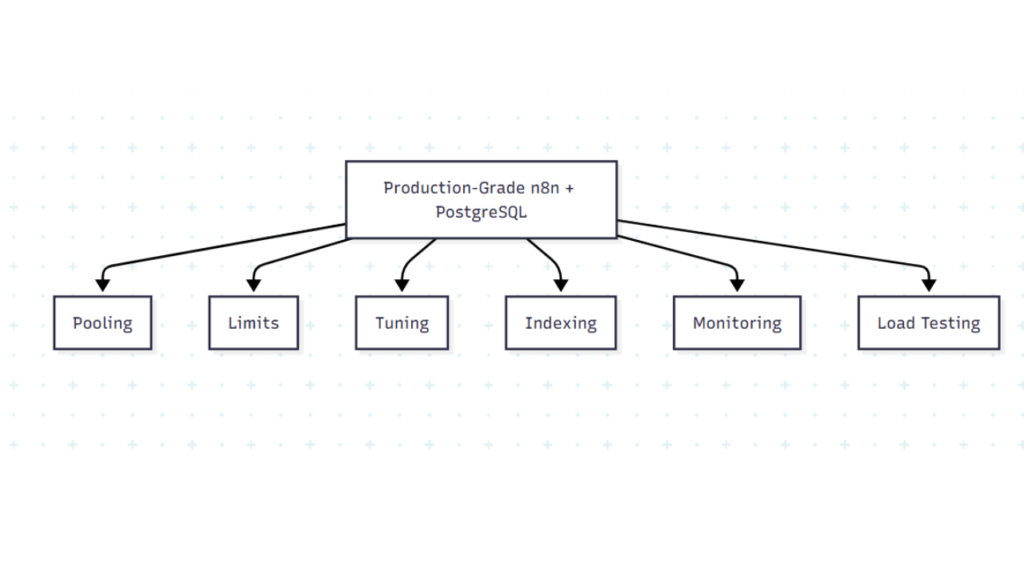
A high-level roadmap for running n8n at scale with PostgreSQL: covering pooling, tuning, monitoring, and high-concurrency workloads.
Typical for 8 vCPU / 16 GB RAM:
max_connections = 200
shared_buffers = 4GBwork_mem = 64MB
effective_cache_size = 12GB
max_worker_processes = 8
Check Live:
SHOW max_connections;
SHOW shared_buffers;
Safety checks:
| Check | Command |
|---|---|
| RAM usage | ps -o %mem,rss -p $(pidof postgres) |
| Connection count | SELECT count(*) FROM pg_stat_activity; |
| Lock timeout | SET lock_timeout = ‘5s’; |
5. Indexes to Reduce Contention
Execution table:
CREATE INDEX IF NOT EXISTS idx_execution_workflow_status
ON execution_entity (workflowId, status);

CREATE INDEX IF NOT EXISTS idx_execution_finished_at
ON execution_entity (finishedAt DESC);
Other tables:
CREATE INDEX IF NOT EXISTS idx_credential_name
ON credential_entity (name);
CREATE INDEX IF NOT EXISTS idx_workflow_name
ON workflow_entity (name);
Tip: Run ANALYZE; after creating indexes.
6. Query Analysis
Use EXPLAIN ANALYZE to spot slow queries:
If your queries run without errors but existing rows still don’t update, this may be an UPSERT logic issue rather than performance. See: n8n PostgreSQL UPSERT not updating existing records
EXPLAIN (ANALYZE, BUFFERS)
SELECT * FROM execution_entity
WHERE workflowId = $1 AND status = 'running';
Look for Seq Scan → Index Scan improvement.
7. Monitoring
Active queries:
SELECT pid, usename, state, now() - query_start AS duration, query
FROM pg_stat_activity
WHERE state <> 'idle'
ORDER BY duration DESC
LIMIT 10;
Top slow queries:
SELECT query, calls, total_time, mean_time
FROM pg_stat_statements
ORDER BY total_time DESC
LIMIT 5;
Add Grafana dashboards for real-time monitoring.
8. Common Errors & Fixes
In some cases, the PostgreSQL node shows success but no data changes. This is usually caused by transaction scope, pooling, or commit behavior. See: n8n PostgreSQL node runs successfully but nothing updates.
| Symptom | Fix |
|---|---|
| “remaining connection slots” | Increase max_connections or reduce N8N_DB_MAX_CONNECTIONS |
| Deadlocks | Reorder updates, use FOR UPDATE SKIP LOCKED |
| Lock timeout | Reduce statement_timeout, split batches |
| pgBouncer refused | Verify host/port point to pgBouncer (6432) |
9. Checklist for High-Concurrency Readiness
- pgBouncer deployed,
pool_mode=transaction N8N_DB_MAX_CONNECTIONS≤ half of max_connections- PostgreSQL tuned (shared_buffers, work_mem)
- Indexes added on
execution_entity - Monitoring via
pg_stat_activity&pg_stat_statements - Load-tested for ≥100 concurrent workflows
Related Guides:
- n8n PostgreSQL connection not working: SSL, credentials, and network fixes
- n8n PostgreSQL UPSERT not updating existing records
- n8n PostgreSQL node runs successfully but nothing updates
- How to Use n8n to Sync Databases (Beginner-Friendly No-Code Integration Guide)
- How to Use n8n to Integrate Slack: (Beginner Friendly Automation Guide)
Conclusion
Optimizing n8n for high-concurrency workloads is all about managing database connections, using connection pooling, tuning PostgreSQL, and indexing key tables. By limiting direct connections, deploying pgBouncer, and monitoring query performance, you can keep workflows running smoothly even under heavy load. Regularly reviewing metrics, analyzing slow queries, and applying indexes ensures your n8n instance remains responsive, reliable, and ready to handle hundreds of simultaneous executions.