Step by Step Guide to solve n8n MongoDB Replica Set Connection Error
Who this is for: Developers and DevOps engineers running n8n (self‑hosted or Docker) who need reliable connectivity to a MongoDB replica set. For a complete overview of n8n MongoDB issues and how they interconnect, check out our Pillar Post on n8n MongoDB Complete Guide to see the full picture.
Quick Diagnosis
Problem: n8n cannot connect to a MongoDB replica set – the node returns “Failed to connect to MongoDB replica set” or times out.
Quick Fix (≈ 30 s):
- Verify the replica‑set name and member
host:portstrings in the MongoDB node’s Connection URL. - Ensure each member is reachable from the n8n host (e.g.,
nc -z <host> <port>). - Append
replicaSet=<setName>anddirectConnection=falseto the URL. - If authentication is required, add
authSource=admin(or the DB that holds the user). - Restart the workflow; the node should now connect.
If the error persists, follow the step‑by‑step guide below.
1. Why n8n Fails to Connect to a Replica Set
| Symptom | Typical Root Cause |
|---|---|
| MongoNetworkError: connection timed out | Network block (firewall, VPC, security group) |
| MongoServerError: replica set name mismatch | Wrong replicaSet value in URL |
| MongoParseError: Invalid connection string | Missing directConnection=false when using multiple hosts |
| MongoAuthenticationError | Auth DB not specified or user not in admin DB |
EEFA Note: The exact error tells you whether the issue is network, configuration, or authentication.
Troubleshoot common n8n MongoDB authentication issues, including failed logins and replica set connection errors in n8n mongodb authentication failed error guide.
2. Prerequisites – Verify Environment
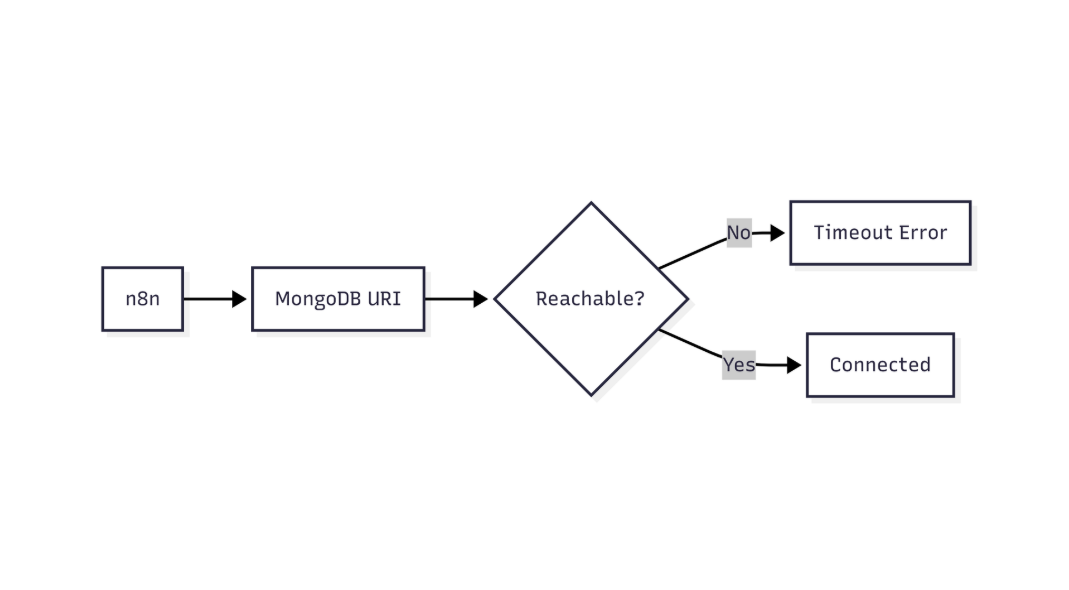
This flow shows how n8n validates MongoDB connectivity and identifies network or connection-level failures
| Check | Command / Action |
|---|---|
| n8n version | n8n -v (needs 0.226.0 or newer) |
| MongoDB driver (self‑hosted) | npm ls mongodb (requires ^5.0.0 or later) |
| Network reachability | nc -z <host1> 27017 && nc -z <host2> 27017 |
| TLS/SSL (if enabled) | openssl s_client -connect <host>:27017 -servername <host> |
EEFA Tip: Docker containers run without --network=host by default; ensure the bridge network can reach the replica‑set IPs.
3. Build a Correct Connection URL
Purpose: Assemble a URI that satisfies the MongoDB driver for replica‑set discovery.
mongodb://user:password@host1:27017,host2:27017,host3:27017/<db>?replicaSet=myReplSet&directConnection=false
| Parameter | Purpose | Common Pitfall |
|---|---|---|
| replicaSet | Identifies the set for negotiation | Misspelling (case‑sensitive) |
| directConnection=false | Enables multi‑host discovery | Omitting leads to “Invalid connection string” |
| authSource (optional) | DB that stores credentials | Default is target DB; use admin when needed |
| tls=true / tlsCAFile (optional) | Enables TLS | Forgetting CA file breaks handshake |
Example – Production‑Ready URL
mongodb://n8nUser:Str0ngP@ssw0rd@mongo-primary:27017,mongo-secondary1:27017,mongo-secondary2:27017/analytics?replicaSet=analyticsRS&directConnection=false&authSource=admin&tls=true&tlsCAFile=/data/certs/ca.pem
4. Configure the n8n MongoDB Node
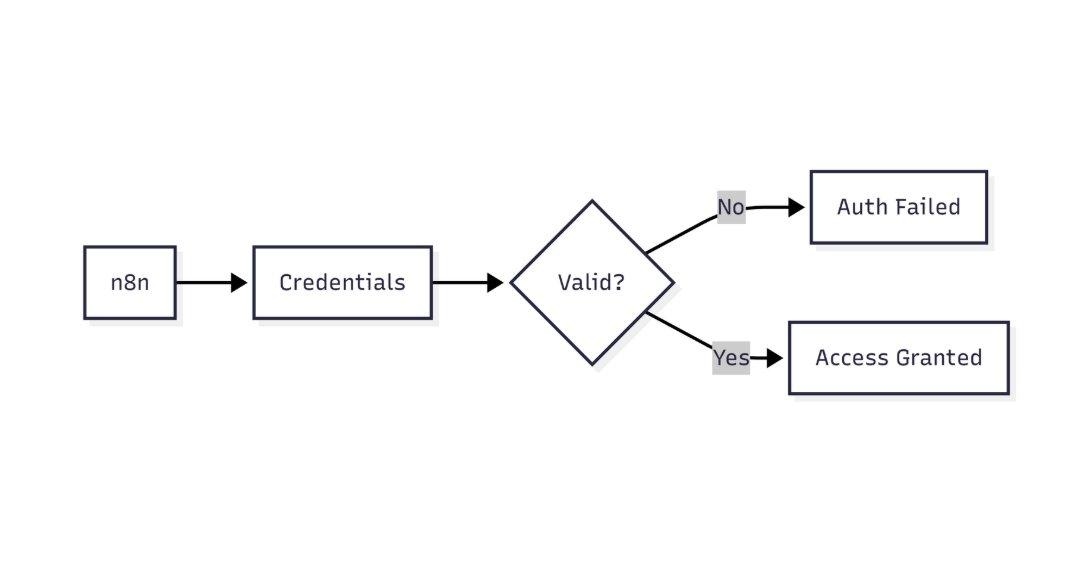
This diagram highlights how n8n verifies MongoDB credentials before allowing database access
Steps to wire the URI into n8n:
- Open your workflow and add a MongoDB node.
- In Credentials, click New → select MongoDB.
- Paste the Connection URL into the URI field.
- Leave Host, Port, Database, User, Password empty – the driver parses them from the URI.
- Toggle SSL → Yes if
tls=trueis present; upload the CA certificate if required. - Click Test Connection – a green check confirms success.
EEFA Tip: In Docker‑based n8n, mount the CA cert into the container and reference the absolute path (/certs/ca.pem).
Troubleshoot common n8n MongoDB authentication issues, including failed logins and replica set connection errors in n8n cannot authenticate to mongodb database guide.
5. Step‑by‑Step Debugging Checklist
| ✅ Step | Action | Verification |
|---|---|---|
| 1 | Run rs.status() on the primary to confirm the set name |
Output shows "set": "myReplSet" |
| 2 | Ping each member from the n8n host (nc or curl) |
No “connection refused” or timeout |
| 3 | Test the URI in a local Node REPL (MongoClient.connect(url)) |
Connection succeeds |
| 4 | Paste the same URI into n8n credentials → Test Connection | Returns “Successfully connected” |
| 5 | Enable driver debug: set DEBUG=mongodb* in the n8n container |
Logs reveal which host the driver tried first |
| 6 | Inspect MongoDB logs (mongod.log) for connection accepted entries |
Confirms the server received the handshake |
| 7 | Verify user roles (db.getUser("n8nUser")) include readWrite on the target DB and clusterMonitor on the set |
Roles are listed correctly |
6. Common Pitfall Scenarios & Fixes
6.1. Only One Host Listed → “connection timeout”
Cause: Driver treats the URI as a single‑host connection; a secondary will reject reads.
Fix: List at least two hosts and set directConnection=false.
6.2. DNS SRV Record Misuse
Cause: Using mongodb+srv:// with a replica set that does **not** expose an SRV record.
Fix: Switch to the standard mongodb:// format and list hosts explicitly.
6.3. TLS Mismatch
Cause: Cluster enforces TLS, but the node omits tls=true.
Fix: Add tls=true and provide the correct CA file; avoid tlsAllowInvalidCertificates in production.
6.4. Authentication on the Wrong DB
Cause: User created in admin but URL lacks authSource=admin.
Fix: Append authSource=admin (or the appropriate DB) to the URI.
7. Production‑Grade Configuration (Docker‑Compose Example)
Below are modular snippets you can copy into a single docker-compose.yml. Each block focuses on a single service or shared resource.
7.1. n8n Service
n8n:
  image: n8nio/n8n:latest
  restart: unless-stopped
  ports:
    - "5678:5678"
  environment:
    - DB_TYPE=postgresdb
    - DB_POSTGRESDB_HOST=postgres
    - DB_POSTGRESDB_PORT=5432
    - DB_POSTGRESDB_DATABASE=n8n
    - DB_POSTGRESDB_USER=n8n
    - DB_POSTGRESDB_PASSWORD=SuperSecret
    - N8N_LOG_LEVEL=debug
    - N8N_MONGODB_URI=mongodb://n8nUser:Str0ngP@ssw0rd@mongo-primary:27017,mongo-secondary1:27017,mongo-secondary2:27017/analytics?replicaSet=analyticsRS&directConnection=false&authSource=admin&tls=true&tlsCAFile=/certs/ca.pem
  volumes:
    - ./certs:/certs:ro   # mount CA cert read‑only
  depends_on:
    - mongo-primary
    - mongo-secondary1
    - mongo-secondary2
7.2. Primary MongoDB Member
mongo-primary:
  image: mongo:7.0
  command: ["mongod", "--replSet", "analyticsRS", "--bind_ip_all"]
  ports:
    - "27017:27017"
  volumes:
    - mongo-data-primary:/data/db
7.3. Secondary Members
mongo-secondary1:
  image: mongo:7.0
  command: ["mongod", "--replSet", "analyticsRS", "--bind_ip_all"]
  ports:
    - "27018:27017"
  volumes:
    - mongo-data-sec1:/data/db

mongo-secondary2:
  image: mongo:7.0
  command: ["mongod", "--replSet", "analyticsRS", "--bind_ip_all"]
  ports:
    - "27019:27017"
  volumes:
    - mongo-data-sec2:/data/db
7.4. Persistent Volumes
volumes:
  mongo-data-primary:
  mongo-data-sec1:
  mongo-data-sec2:
Key points
N8N_MONGODB_URIholds the full replica‑set URL.- CA cert is mounted read‑only to protect integrity.
N8N_LOG_LEVEL=debugsurfaces driver logs for rapid troubleshooting.
8. Monitoring & Alerts
| Tool | What to monitor | Alert threshold |
|---|---|---|
| MongoDB Cloud Manager | ReplicaSetStatus.stateStr of members | Any member DOWN > 30 s |
| n8n Execution Logs | Occurrence of MongoNetworkError |
> 3 failures in 5 min |
| Prometheus + mongodb_exporter | mongodb_up per host | Metric = 0 for any host |
Configure a Slack or PagerDuty webhook to receive immediate notifications when the replica set becomes unreachable.
9. EEFA: Real‑World Gotchas
- IPv6 vs IPv4 – Some cloud providers expose replica members on IPv6 only; Docker’s default bridge lacks IPv6. Use IPv4 addresses or enable IPv6 in Docker (
--ipv6). - Kubernetes NetworkPolicy – If n8n runs in a pod, ensure egress rules permit traffic to all replica hosts on port 27017.
- Clock Skew – MongoDB’s authentication timestamps reject connections if the n8n host’s clock drifts > 30 s. Keep the host synced via NTP.