Complete n8n MongoDB integration guide to solve Errors
Introduction:
The n8n MongoDB node connects the visual n8n workflow engine to any MongoDB deployment—single instance, sharded cluster, or replica set. This guide is intended for workflow designers, DevOps engineers, and data‑integration specialists who need a high‑level map of the node’s capabilities, authentication options, operation families, and the error landscape. Detailed configuration, code, and step‑by‑step fixes are covered in the linked child articles.
Overview of the n8n MongoDB node
The node wraps the official MongoDB driver and abstracts driver calls into JSON‑compatible payloads. It supports:
- Read –
find,aggregate,distinct,count - Write –
insert,update,replace,delete - Utility –
create index,drop index,upsert
Each operation family is selectable within a single node instance, enabling chained actions without custom code.
Authentication methods
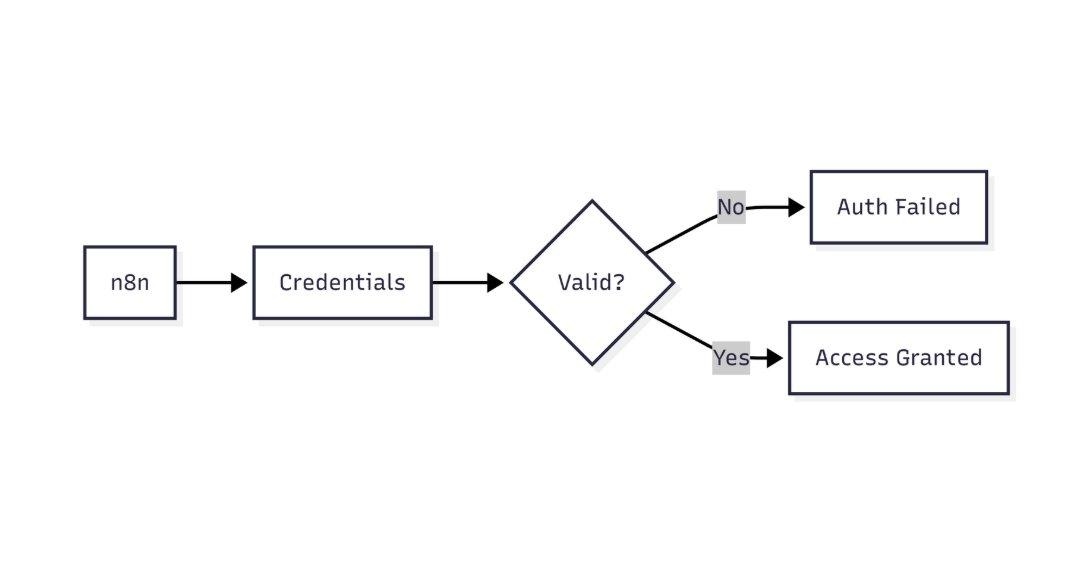
This diagram highlights how n8n verifies MongoDB credentials before allowing database access
| Method | Typical scenario |
|---|---|
| Username / Password (SCRAM‑SHA‑1 / SCRAM‑SHA‑256) | Most cloud‑hosted and on‑prem clusters |
| X.509 Certificate | Mutual‑TLS environments |
| Cloud‑provider IAM (AWS, Azure) | Managed MongoDB services with federated auth |
| No authentication | Local development or isolated test clusters |
Choose the method that aligns with your security posture and the network zone where n8n runs.
Operation families
- Query operations –
Find,Aggregate,Count,Distinct - Mutation operations –
Insert,Update,Replace,Delete - Utility operations –
Create Index,Drop Index,Upsert
Each family maps to a single node configuration, allowing multiple MongoDB actions within a workflow.
Common n8n MongoDB error categories
| Error family | Typical trigger | Child guide |
|---|---|---|
| Connection timeout | Network latency, firewall blocks, unreachable host | n8n MongoDB connection timeout error |
| Authentication failure | Wrong credentials or unsupported mechanism | n8n MongoDB authentication failed error |
| Invalid connection string | Malformed URI or missing parameters | n8n MongoDB invalid connection string error |
| Database‑level auth issues | Insufficient roles or wrong database name | n8n cannot authenticate to MongoDB database |
| SSL/TLS handshake failure | Missing or mismatched certificates | n8n MongoDB SSL connection error |
| Duplicate key | Insert conflicts with unique indexes | n8n MongoDB duplicate key error |
| Unsupported operator | Query uses driver‑unsupported operators | n8n MongoDB unsupported operator error |
| Connection pool exhaustion | High parallelism exceeds driver limits | n8n MongoDB connection pool exhausted error |
| Document not found | Query returns empty result where a document is expected | n8n MongoDB document not found error |
| Data type mismatch | Payload violates schema validation | n8n MongoDB data type mismatch error |
| Replica set connection issue | Incorrect read preference or failover settings | n8n MongoDB replica set connection error |
| Version compatibility | Server version newer than driver support | n8n MongoDB version compatibility issues |
These families serve as the taxonomy for navigating the child guides.
High‑level troubleshooting workflow
- Classify the error – use the log message to identify the error family.
- Validate connection context – network reachability, TLS settings, replica‑set topology.
- Confirm authentication details – ensure the selected method matches the server configuration.
- Review the URI – look for syntax issues or unsupported options.
- Inspect operation payload – check data types, indexes, and operators for compatibility.
- Assess scaling factors – if pooling or concurrency appears related, revisit workflow parallelism settings.
After classification, proceed to the corresponding child guide for detailed remediation.
Best practices for a stable integration
- Deploy dedicated service accounts with the minimum required roles.
- Enforce TLS for all production connections; store certificates in n8n’s credential store.
- Pin supported MongoDB versions in CI/CD pipelines; refer to the version‑compatibility guide.
- Align
maxPoolSizewith expected workflow concurrency. - Use error‑branching in workflows to handle node failures gracefully.
- Monitor latency and timeout metrics via n8n execution logs; adjust node timeouts only when necessary.
- Prefer upserts over blind inserts when unique constraints exist.
- Validate replica‑set URIs in a staging environment before production rollout.
Conclusion
This pillar maps the core capabilities of the n8n MongoDB node, outlines the authentication landscape, categorizes operation families, and organizes the most common error families. By navigating to the child guides linked throughout, readers can dive directly into the specific remediation or configuration details they need, while the pillar remains the top‑level reference that ties the entire topic together. Explore the linked guides to resolve issues efficiently and build robust n8n‑MongoDB workflows.