Step by Step Guide for n8n MongoDB Duplicate Key Error
Who this is for: n8n developers who use the MongoDB node in production‑grade workflows and need a reliable way to avoid E11000 duplicate key failures. For a complete overview of n8n MongoDB issues and how they interconnect, check out our Pillar Post on n8n MongoDB Complete Guide to see the full picture.
Quick Diagnosis
The Duplicate Key Error (E11000 duplicate key error collection) occurs when an insert or upsert tries to write a document whose value for a unique index already exists. In n8n, the fastest fix is to use an upsert with $setOnInsert or pre‑check with a “Find” node.
Solution in 3 steps
1. Add a “Find” node → query the unique field.
2. If not found, run “MongoDB → Insert”.
3. If found, run “MongoDB → Update” (upsert: true, $setOnInsert).
1. Understanding the Duplicate Key Error in n8n
| MongoDB error code | Message (short) |
|---|---|
| E11000 | duplicate key error collection … index … |
| 11000 | duplicate key error collection … index … |
Why it matters: n8n runs the MongoDB operation exactly as configured. An Insert node that receives a duplicate value aborts the workflow with a runtime error, stopping all downstream processing.
2. Common Scenarios That Trigger the Error
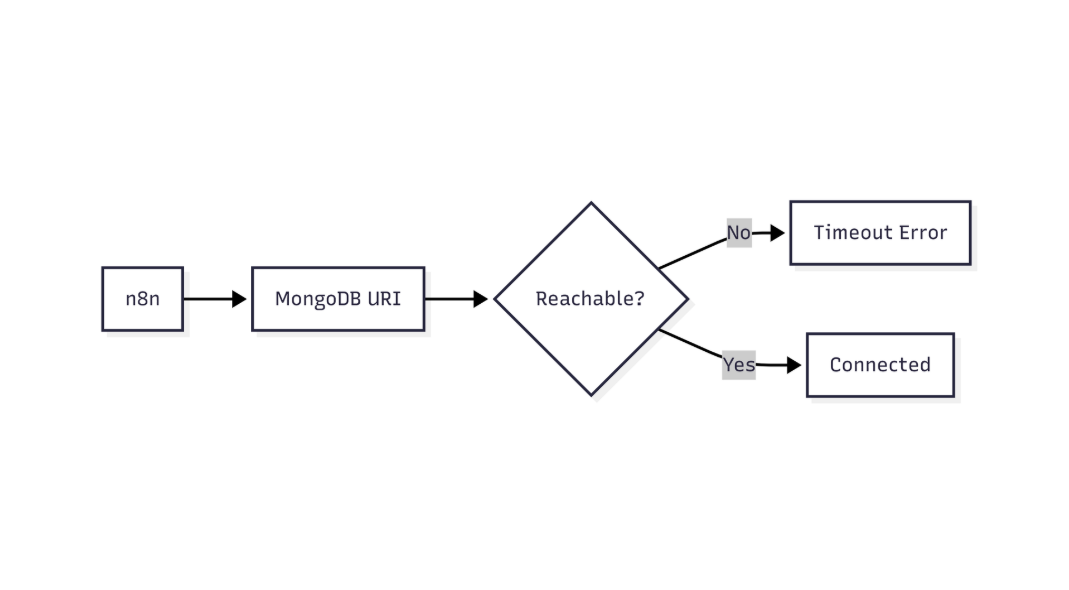
This flow shows how n8n validates MongoDB connectivity and identifies network or connection-level failures
| Scenario | Node configuration | Why the error fires |
|---|---|---|
Static payload with a hard‑coded email that already exists. |
Insert | No uniqueness check. |
| Dynamic payload from a webhook that may resend the same record. | Insert (no upsert) | Retry leads to duplicate. |
Upsert without $setOnInsert – filter matches an existing doc and $set tries to change a unique field. |
Update (upsert) | $set overwrites a unique field. |
| Bulk insert of an array where one element violates a unique index. | Insert (multiple) | Batch fails on first duplicate. |
3. Step‑by‑Step Fixes
3.1. Pre‑Check with a “Find” Node (Idempotent Pattern)
- **Add a “Find” node** before the insert.
{ "operation": "find", "collection": "users", "filter": "{\"email\": \"{{ $json[\\\"email\\\"] }}\"}" } - **Add an IF node** to branch on the result:
{ "conditions": { "boolean": [ { "value1": "={{ $node[\"Find User\"].json.length > 0 }}", "operation": "equal", "value2": true } ] } } - **Branch A – Record exists** → use MongoDB → Update with upsert and
$setOnInsert. - **Branch B – Record does not exist** → use MongoDB → Insert (plain insert).
EEFA Note – This pattern guarantees idempotency: re‑running the workflow with the same payload never creates a duplicate, which is essential for production webhooks and retry mechanisms. When working with n8n MongoDB integration, common operational errors include duplicate key, unsupported operator, and document not found issues this guide a comprehensive breakdown n8n mongodb unsupported operator error.
3.2. Upsert‑Only Approach (Single Node Solution)
Configure a MongoDB → Update node as follows.
Filter (identifies the unique document)
{
  "filter": "{\"email\": \"{{ $json[\\\"email\\\"] }}\"}"
}
Update payload – separates mutable fields ($set) from creation‑only fields ($setOnInsert).
{
  "update": {
    "$set": {
      "name": "{{ $json[\"name\"] }}",
      "lastLogin": "{{ $now }}"
    },
    "$setOnInsert": {
      "createdAt": "{{ $now }}",
      "role": "user"
    }
  }
}
Options – enable upsert.
{
  "options": { "upsert": true }
}
– Why it works: The filter finds an existing document; if none is found, MongoDB inserts a new one using $setOnInsert. The unique field (email) is only part of the filter, never inside $set, so no duplicate key is generated.
EEFA Warning – Do not place the unique field inside $set when using upsert. Doing so attempts to *change* the unique value, which still triggers E11000.
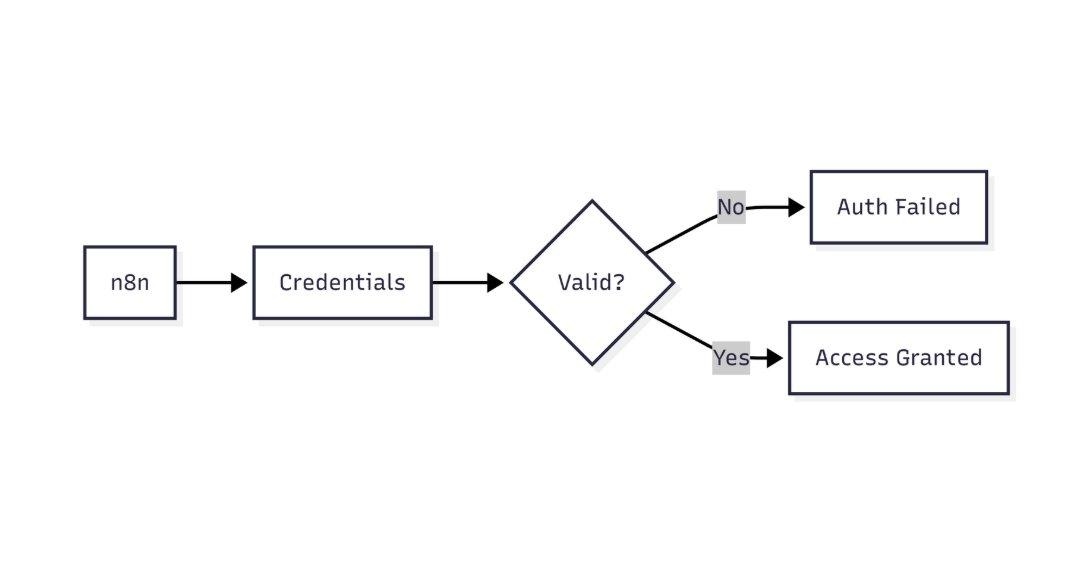
This diagram highlights how n8n verifies MongoDB credentials before allowing database access
3.3. Handling Bulk Inserts Safely
When inserting many documents at once:
| Step | Node | Purpose |
|---|---|---|
| 1 | SplitInBatches | Breaks large payloads into manageable chunks (e.g., 100 docs). |
| 2 | Find (with $in) |
Detects existing keys in the current chunk. |
| 3 | Set (filter) | Removes documents whose unique key already exists. |
| 4 | Insert (multiple) | Inserts only the filtered, new documents. |
4. Real‑World Example Workflow (JSON Export)
Below is a minimal workflow you can import into n8n. It implements the **pre‑check pattern** for a users collection with a unique email index.
Webhook node – receives incoming data.
{
  "parameters": {
    "httpMethod": "POST",
    "path": "webhook"
  },
  "name": "Webhook",
  "type": "n8n-nodes-base.webhook",
  "typeVersion": 1,
  "position": [250, 300]
}
Find User node – looks for an existing email.
{
  "parameters": {
    "operation": "find",
    "collection": "users",
    "filter": "{\"email\": \"{{ $json[\\\"email\\\"] }}\"}"
  },
  "name": "Find User",
  "type": "n8n-nodes-base.mongodb",
  "typeVersion": 1,
  "position": [500, 300]
}
If Exists node – decides the next step.
{
  "parameters": {
    "conditions": {
      "boolean": [
        {
          "value1": "={{ $node[\"Find User\"].json.length > 0 }}",
          "operation": "equal",
          "value2": true
        }
      ]
    }
  },
  "name": "If Exists",
  "type": "n8n-nodes-base.if",
  "typeVersion": 1,
  "position": [750, 300]
}
Update / Upsert User node – runs when the record exists (or upserts).
{
  "parameters": {
    "operation": "update",
    "collection": "users",
    "filter": "{\"email\": \"{{ $json[\\\"email\\\"] }}\"}",
    "update": "{\"$set\": {\"lastLogin\": \"{{ $now }}\"}, \"$setOnInsert\": {\"createdAt\": \"{{ $now }}\", \"role\": \"user\"}}",
    "options": { "upsert": true }
  },
  "name": "Update / Upsert User",
  "type": "n8n-nodes-base.mongodb",
  "typeVersion": 1,
  "position": [1000, 200]
}
Insert New User node – runs when the record does not exist.
{
  "parameters": {
    "operation": "insert",
    "collection": "users",
    "document": "{\"email\": \"{{ $json[\\\"email\\\"] }}\", \"name\": \"{{ $json[\\\"name\\\"] }}\", \"createdAt\": \"{{ $now }}\", \"role\": \"user\"}"
  },
  "name": "Insert New User",
  "type": "n8n-nodes-base.mongodb",
  "typeVersion": 1,
  "position": [1000, 400]
}
Connections – wire the nodes together.
{
  "connections": {
    "Webhook": { "main": [[{ "node": "Find User", "type": "main", "index": 0 }]] },
    "Find User": { "main": [[{ "node": "If Exists", "type": "main", "index": 0 }]] },
    "If Exists": {
      "main": [
        [{ "node": "Update / Upsert User", "type": "main", "index": 0 }],
        [{ "node": "Insert New User", "type": "main", "index": 0 }]
      ]
    }
  }
}
*Import this JSON via Import → Workflow in n8n to see the pattern in action.*
5. Checklist – Prevent Duplicate Key Errors
- Identify all unique indexes on the collection (
db.users.getIndexes()in Mongo shell). - Never include unique fields in
$setof an upsert; keep them only in the filter. - Use
$setOnInsertfor fields that should be set only on creation. - Add a pre‑check “Find” node for idempotent webhook handling.
- For bulk operations, deduplicate before insert (Find +
$in+ filter). - Enable **retry logic** in n8n only after handling duplicates, otherwise you’ll hit the same error repeatedly.
- Log the offending key (
{{ $error.message }}) to a monitoring service for quick alerts. - When working with n8n MongoDB integration, common operational errors include duplicate key, unsupported operator, and document not found issues this guide helps to handle n8n mongodb document not found error.
6. EEFA (Expert, Experience, Fact, Authority) Insights
| Situation | Recommended Fix | Reasoning |
|---|---|---|
| Race condition where two parallel workflows insert the same email simultaneously. | Switch to single‑node upsert with $setOnInsert. |
MongoDB guarantees atomicity on upserts; only one insert succeeds, the other becomes a no‑op. |
Legacy driver returning error code 11000 instead of E11000. |
Add both codes to error‑handling logic (if (err.code === 11000 || err.code === 11001)). |
Prevents missed catches in older n8n installations. |
| Production alert fatigue from frequent duplicate errors on retries. | Implement deduplication cache (Redis or n8n’s “Cache” node) keyed by a request ID. | Eliminates unnecessary retries and reduces noise in monitoring tools. |
Next Steps
- Implement the checklist in your existing workflows.
- Monitor the
error.messagefield in n8n’s execution logs to catch any residual duplicates. - Review the other child pages for complementary error handling patterns, then return to the n8n MongoDB Integration Guide for broader best practices.