<p><img class="aligncenter size-full wp-image-3402" style="width: 100%; height: auto;" src="https://flowgenius.in/wp-content/uploads/2025/12/Blog-8-Cluster-3.png" alt="n8n blog cluster 3 workflow diagram" /></p>
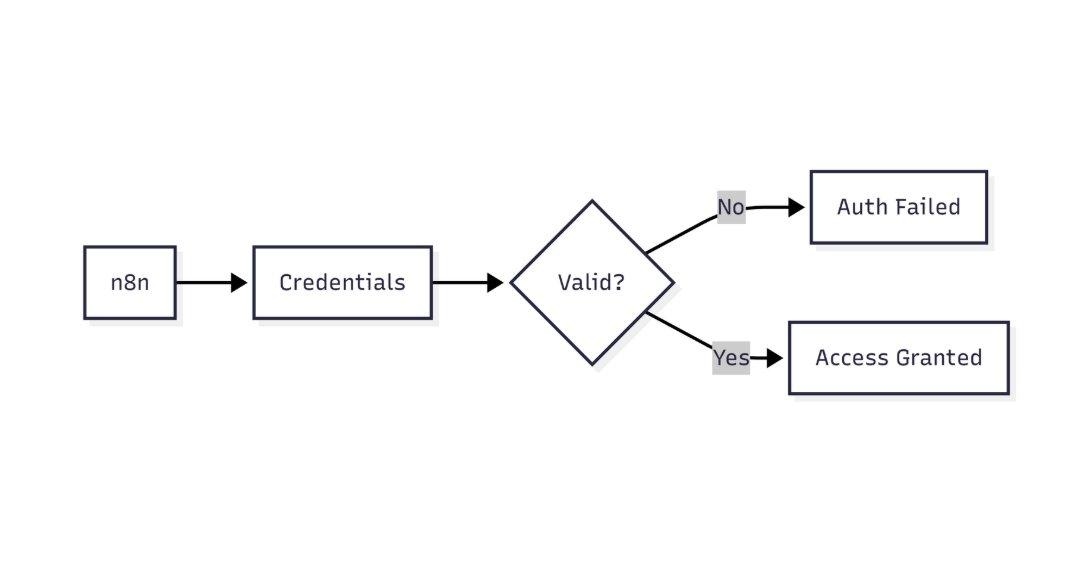
<p style="text-align: center;">Step by Step Guide to solve n8n MongoDB Connection Pool Exhausted Error</p>
<p> </p>
<p> </p>
<p style="margin-bottom: 45px; line-height: 1.3;"><strong>Who this is for: </strong>Developers and DevOps engineers running production‑grade n8n workflows that interact with MongoDB (Atlas or self‑hosted) and need a reliable, repeatable solution to the “connection pool exhausted” error.For a complete overview of n8n MongoDB issues and how they interconnect, check out our Pillar Post on <a href="https://flowgenius.in/n8n-mongodb-integration-guide/"><strong>n8n MongoDB Complete Guide</strong></a> to see the full picture.</p>
<p> </p>
<h2 style="margin-bottom: 45px; line-height: 1.3;">Quick Diagnosis</h2>
<p style="margin-bottom: 2em;"><strong>Problem:</strong> n8n throws <em>“MongoDB connection pool exhausted”</em> when a workflow opens more simultaneous connections than the driver’s pool limit.</p>
<p style="margin-bottom: 2em;"><strong>Quick fix (≈ 5 seconds):</strong></p>
<ol style="margin-bottom: 1.8em; line-height: 1.9;">
<li>Open <strong>Settings → Credentials → MongoDB</strong> in n8n.</li>
<li>Append the query‑string option <code>?maxPoolSize=200</code> (or any value ≤ your cluster’s allowed connections).</li>
<li>Save and <strong>restart</strong> the n8n service (<code>docker restart n8n</code> or equivalent).</li>
</ol>
<p style="margin-bottom: 2em;"><strong>Result:</strong> The pool limit is raised, eliminating the error for most workloads. If the issue remains, follow the full troubleshooting steps below.</p>
<div style="margin: 55px 0;"></div>
<h2 style="margin-bottom: 45px; line-height: 1.3;">1. What “Connection Pool Exhausted” Actually Means</h2>
<table style="border-collapse: collapse; width: auto; margin-bottom: 2em;">
<thead>
<tr>
<th style="padding: 13px; text-align: left; border-bottom: 1px solid #e0e0e0;">Term</th>
<th style="padding: 13px; text-align: left; border-bottom: 1px solid #e0e0e0;">Meaning in n8n</th>
</tr>
</thead>
<tbody>
<tr>
<td style="padding: 13px; border-bottom: 1px solid #e0e0e0;">Connection pool</td>
<td style="padding: 13px; border-bottom: 1px solid #e0e0e0;">Reusable set of TCP sockets that the MongoDB node re‑uses for every operation.</td>
</tr>
<tr>
<td style="padding: 13px; border-bottom: 1px solid #e0e0e0;">Exhausted</td>
<td style="padding: 13px; border-bottom: 1px solid #e0e0e0;">All sockets are in use and the driver cannot allocate a new one within <code>waitQueueTimeoutMS</code> (default 10 s).</td>
</tr>
</tbody>
</table>
<p style="margin-bottom: 2em;">Typical symptom: workflow stalls and logs <code>MongoServerError: connection pool exhausted</code>. The driver (mongodb v5.x) defaults to <strong>maxPoolSize = 100</strong>. Parallel‑heavy workflows (bulk inserts, <code>SplitInBatches</code> + <code>MongoDB</code> nodes) can quickly exceed this ceiling. If you encounter the data type mismatch error check this out:<a href="https://flowgenius.in/n8n-mongodb-incorrect-data-type-error-fix-datatype-mismatch-in-your-workflows/"><strong> n8n mongodb data type mismatch error</strong></a>.</p>
<div style="margin: 55px 0;"></div>
<h2 style="margin-bottom: 45px; line-height: 1.3;">2. Why n8n Workflows Hit the Pool Limit</h2>
<p><img class="aligncenter size-full wp-image-3376" style="width: 100%; height: auto;" src="https://flowgenius.in/wp-content/uploads/2025/12/Screenshot-2025-12-22-054315.png" alt="n8n workflow execution details screenshot" /></p>
<p style="text-align: center;">This flow shows how n8n validates MongoDB connectivity and identifies network or connection-level failures</p>
<p> </p>
<p> </p>
<table style="border-collapse: collapse; width: auto; margin-bottom: 2em;">
<thead>
<tr>
<th style="padding: 13px; text-align: left; border-bottom: 1px solid #e0e0e0;">Root Cause</th>
<th style="padding: 13px; text-align: left; border-bottom: 1px solid #e0e0e0;">Manifestation in n8n</th>
</tr>
</thead>
<tbody>
<tr>
<td style="padding: 13px; border-bottom: 1px solid #e0e0e0;">High parallelism – many <code>MongoDB</code> nodes run concurrently (e.g., inside <code>SplitInBatches</code> or <code>Parallel</code>)</td>
<td style="padding: 13px; border-bottom: 1px solid #e0e0e0;">Each node opens its own connection; the pool fills before previous ops finish.</td>
</tr>
<tr>
<td style="padding: 13px; border-bottom: 1px solid #e0e0e0;">Missing <code>close</code> calls – custom JavaScript creates a <code>MongoClient</code> without <code>client.close()</code></td>
<td style="padding: 13px; border-bottom: 1px solid #e0e0e0;">Stale sockets linger in the pool.</td>
</tr>
<tr>
<td style="padding: 13px; border-bottom: 1px solid #e0e0e0;">Short <code>waitQueueTimeoutMS</code> – default 10 s; heavy load makes the driver wait longer than allowed.</td>
<td style="padding: 13px; border-bottom: 1px solid #e0e0e0;">Immediate “exhausted” error even if the pool would free up a few seconds later.</td>
</tr>
<tr>
<td style="padding: 13px; border-bottom: 1px solid #e0e0e0;">MongoDB service limits – Atlas tier caps total connections (e.g., 500 for M10)</td>
<td style="padding: 13px; border-bottom: 1px solid #e0e0e0;">n8n may reach the service limit before its own pool limit.</td>
</tr>
</tbody>
</table>
<div style="margin: 55px 0;"></div>
<h2 style="margin-bottom: 45px; line-height: 1.3;">3. Step‑by‑Step Diagnosis</h2>
<h3 style="margin-bottom: 45px; line-height: 1.3;">3.1 Check the execution log</h3>
<pre style="background: #fafafa; padding: 20px; border: 1px solid #e0e0e0; overflow: auto;">[2025-12-21 14:32:10] ERROR: MongoDB node failed – connection pool exhausted
</pre>
<h3 style="margin-bottom: 45px; line-height: 1.3;">3.2 Inspect driver stats (temporary JavaScript node)</h3>
<p style="margin-bottom: 2em;"><strong>Purpose:</strong> Retrieve the current connection count from MongoDB.</p>
<pre style="background: #fafafa; padding: 20px; border: 1px solid #e0e0e0; overflow: auto;">const { MongoClient } = require('mongodb');
const client = new MongoClient($node["MongoDB"].credentials.connectionString);
await client.connect();
</pre>
<p style="margin-bottom: 2em;"><strong>Purpose:</strong> Query server status.</p>
<pre style="background: #fafafa; padding: 20px; border: 1px solid #e0e0e0; overflow: auto;">const serverStatus = await client.db().admin().command({ serverStatus: 1 });
console.log('connections.current', serverStatus.connections.current);
console.log('connections.available', serverStatus.connections.available);
</pre>
<p style="margin-bottom: 2em;"><strong>Purpose:</strong> Clean up the temporary client.</p>
<pre style="background: #fafafa; padding: 20px; border: 1px solid #e0e0e0; overflow: auto;">await client.close();
</pre>
<p style="margin-bottom: 2em;">Look for <code>connections.current</code> approaching the limit.</p>
<h3 style="margin-bottom: 45px; line-height: 1.3;">3.3 Confirm Atlas/cluster limits</h3>
<p style="margin-bottom: 2em;">Navigate to <strong>MongoDB Atlas → Network Access → Connection Limits</strong> and note the maximum allowed connections.</p>
<p style="margin-bottom: 2em;">If <code>connections.current</code> ≈ <code>maxPoolSize</code> *and* the Atlas limit is higher, the bottleneck is inside n8n. If the Atlas limit is lower, you must stay within that ceiling.</p>
<div style="margin: 55px 0;"></div>
<h2 style="margin-bottom: 45px; line-height: 1.3;">4. Permanent Fixes</h2>
<h3 style="margin-bottom: 45px; line-height: 1.3;">4.1 Increase the Pool Size (Safest first step)</h3>
<p style="margin-bottom: 2em;">Add <code>maxPoolSize</code> to the connection string **or** use the **Advanced Options** JSON field in the credential editor.</p>
<table style="border-collapse: collapse; width: auto; margin-bottom: 2em;">
<thead>
<tr>
<th style="padding: 13px; text-align: left; border-bottom: 1px solid #e0e0e0;">Method</th>
<th style="padding: 13px; text-align: left; border-bottom: 1px solid #e0e0e0;">Example</th>
</tr>
</thead>
<tbody>
<tr>
<td style="padding: 13px; border-bottom: 1px solid #e0e0e0;">Connection‑string query</td>
<td style="padding: 13px; border-bottom: 1px solid #e0e0e0;"><code>mongodb+srv://user:pwd@cluster0.mongodb.net/mydb?maxPoolSize=200</code></td>
</tr>
<tr>
<td style="padding: 13px; border-bottom: 1px solid #e0e0e0;">Advanced Options JSON</td>
<td style="padding: 13px; border-bottom: 1px solid #e0e0e0;"><code>{ "maxPoolSize": 200, "waitQueueTimeoutMS": 20000 }</code></td>
</tr>
</tbody>
</table>
<p style="margin-bottom: 2em;"><strong>EEFA Note:</strong> Do **not** set <code>maxPoolSize</code> above the cluster’s allowed connections. Overshooting triggers “Too many connections” errors that affect all clients.</p>
<h3 style="margin-bottom: 45px; line-height: 1.3;">4.2 Reduce Parallelism</h3>
<ul style="margin-bottom: 1.8em; line-height: 1.9;">
<li>Use <strong>`SplitInBatches`</strong> with a modest batch size (e.g., 50).</li>
<li>Insert a <strong>`Delay`</strong> node between parallel branches.</li>
<li>Consolidate multiple MongoDB actions into a single bulk operation where possible.</li>
</ul>
<h3 style="margin-bottom: 45px; line-height: 1.3;">4.3 Explicitly Close Custom Clients</h3>
<p style="margin-bottom: 2em;">If you instantiate <code>MongoClient</code> in a **Run JavaScript** node, always close it:</p>
<pre style="background: #fafafa; padding: 20px; border: 1px solid #e0e0e0; overflow: auto;">await client.close(); // essential to free the socket
</pre>
<h3><img class="aligncenter size-full wp-image-3375" style="width: 100%; height: auto;" src="https://flowgenius.in/wp-content/uploads/2025/12/Screenshot-2025-12-22-054334.png" alt="n8n workflow execution overview screenshot" /></h3>
<p style="text-align: center;">This diagram highlights how n8n verifies MongoDB credentials before allowing database access</p>
<p> </p>
<p> </p>
<h3 style="margin-bottom: 45px; line-height: 1.3;">4.4 Extend <code>waitQueueTimeoutMS</code></h3>
<p style="margin-bottom: 2em;">When reducing concurrency is not feasible, increase the wait time:</p>
<pre style="background: #fafafa; padding: 20px; border: 1px solid #e0e0e0; overflow: auto;">mongodb+srv://.../mydb?maxPoolSize=150&waitQueueTimeoutMS=30000
</pre>
<p style="margin-bottom: 2em;"><strong>EEFA Warning:</strong> A long wait queue can mask performance problems. Use only after confirming the pool size is adequate. When integrating MongoDB with n8n version compatibility errors might occur, this might help <a href="https://flowgenius.in/n8n-mongodb-version-compatibility-guide/"><strong>n8n mongodb version compatibility issues</strong></a>.</p>
<h3 style="margin-bottom: 45px; line-height: 1.3;">4.5 Monitor & Alert</h3>
<p style="margin-bottom: 2em;">Create a dashboard (Grafana, Datadog, etc.) that tracks <code>connections.current</code> via the MongoDB Atlas metrics API. Set an alert at **80 %** of <code>maxPoolSize</code>.</p>
<div style="margin: 55px 0;"></div>
<h2 style="margin-bottom: 45px; line-height: 1.3;">5. Quick‑Reference Checklist</h2>
<table style="border-collapse: collapse; width: auto; margin-bottom: 2em;">
<thead>
<tr>
<th style="padding: 13px; text-align: center; border-bottom: 1px solid #e0e0e0;">Steps</th>
<th style="padding: 13px; text-align: left; border-bottom: 1px solid #e0e0e0;">Action</th>
</tr>
</thead>
<tbody>
<tr>
<td style="padding: 13px; border-bottom: 1px solid #e0e0e0; text-align: center;">1</td>
<td style="padding: 13px; border-bottom: 1px solid #e0e0e0;">Add <code>maxPoolSize</code> (≥ 150) to the MongoDB credential connection string.</td>
</tr>
<tr>
<td style="padding: 13px; border-bottom: 1px solid #e0e0e0; text-align: center;">2</td>
<td style="padding: 13px; border-bottom: 1px solid #e0e0e0;">Restart n8n (<code>docker restart n8n</code> or service reload).</td>
</tr>
<tr>
<td style="padding: 13px; border-bottom: 1px solid #e0e0e0; text-align: center;">3</td>
<td style="padding: 13px; border-bottom: 1px solid #e0e0e0;">Verify logs no longer contain “connection pool exhausted”.</td>
</tr>
<tr>
<td style="padding: 13px; border-bottom: 1px solid #e0e0e0; text-align: center;">4</td>
<td style="padding: 13px; border-bottom: 1px solid #e0e0e0;">If the error persists, reduce parallel nodes or batch size.</td>
</tr>
<tr>
<td style="padding: 13px; border-bottom: 1px solid #e0e0e0; text-align: center;">5</td>
<td style="padding: 13px; border-bottom: 1px solid #e0e0e0;">Ensure any custom <code>MongoClient</code> instances are closed.</td>
</tr>
<tr>
<td style="padding: 13px; border-bottom: 1px solid #e0e0e0; text-align: center;">6</td>
<td style="padding: 13px; border-bottom: 1px solid #e0e0e0;">Increase <code>waitQueueTimeoutMS</code> to 20 000 ms only if needed.</td>
</tr>
<tr>
<td style="padding: 13px; text-align: center;">7</td>
<td style="padding: 13px;">Add monitoring for <code>connections.current</code> and alert at 80 % usage.</td>
</tr>
</tbody>
</table>
<div style="margin: 55px 0;"></div>
<h2 style="margin-bottom: 45px; line-height: 1.3;">6. Real‑World Example: Bulk Import with Controlled Parallelism</h2>
<p style="margin-bottom: 2em;"><strong>Purpose:</strong> Show a minimal workflow that respects the connection pool.</p>
<h3 style="margin-bottom: 45px; line-height: 1.3;">6.1 Nodes definition (excerpt)</h3>
<pre style="background: #fafafa; padding: 20px; border: 1px solid #e0e0e0; overflow: auto;">{
"nodes": [
{
"name": "Read CSV",
"type": "n8n-nodes-base.readBinaryFile",
"parameters": { "path": "/data/users.csv" }
},
{
"name": "SplitInBatches",
"type": "n8n-nodes-base.splitInBatches",
"parameters": { "batchSize": 100 }
},
{
"name": "MongoDB Insert",
"type": "n8n-nodes-base.mongodb",
"parameters": {
"operation": "insert",
"collection": "users",
"jsonParameters": true,
"document": "={{$json}}"
},
"credentials": { "mongoDb": "MongoDB (prod)" }
}
]
}
</pre>
<h3 style="margin-bottom: 45px; line-height: 1.3;">6.2 Connections (excerpt)</h3>
<pre style="background: #fafafa; padding: 20px; border: 1px solid #e0e0e0; overflow: auto;">{
"connections": {
"Read CSV": {
"main": [
[{ "node": "SplitInBatches", "type": "main", "index": 0 }]
]
},
"SplitInBatches": {
"main": [
[{ "node": "MongoDB Insert", "type": "main", "index": 0 }]
]
}
}
}
</pre>
<p style="margin-bottom: 2em;">*Why it works:*<br />
– <code>SplitInBatches</code> caps concurrent inserts to 100, keeping the pool well below the default 100‑connection limit.<br />
– With <code>maxPoolSize=200</code> raised in the credential, the workflow can process tens of thousands of records without exhausting the pool.</p>
<div style="margin: 55px 0;"></div>
<h2 style="margin-bottom: 45px; line-height: 1.3;">7. When to Re‑Evaluate the Fix</h2>
<table style="border-collapse: collapse; width: auto; margin-bottom: 2em;">
<thead>
<tr>
<th style="padding: 13px; text-align: left; border-bottom: 1px solid #e0e0e0;">Situation</th>
<th style="padding: 13px; text-align: left; border-bottom: 1px solid #e0e0e0;">Recommended Action</th>
</tr>
</thead>
<tbody>
<tr>
<td style="padding: 13px; border-bottom: 1px solid #e0e0e0;">Atlas upgrade (higher connection allowance)</td>
<td style="padding: 13px; border-bottom: 1px solid #e0e0e0;">Re‑calculate an optimal <code>maxPoolSize</code> (e.g., 300) and test.</td>
</tr>
<tr>
<td style="padding: 13px; border-bottom: 1px solid #e0e0e0;">New workflow adds ≥ 10 parallel MongoDB nodes</td>
<td style="padding: 13px; border-bottom: 1px solid #e0e0e0;">Reduce batch size or increase pool size, then re‑run diagnostics.</td>
</tr>
<tr>
<td style="padding: 13px;">Persistent “Too many connections” after raising pool size</td>
<td style="padding: 13px;">Lower <code>maxPoolSize</code> to stay under Atlas limit; revisit concurrency design.</td>
</tr>
</tbody>
</table>
<div style="margin: 55px 0;"></div>
<h2 style="margin-bottom: 45px; line-height: 1.3;">Conclusion</h2>
<p style="margin-bottom: 2em;">The “connection pool exhausted” error is a symptom of mismatched concurrency and driver limits. By <strong>raising <code>maxPoolSize</code> within the bounds of your MongoDB tier</strong>, <strong>controlling parallelism</strong>, and <strong>ensuring every custom client is closed</strong>, you eliminate the error for the majority of production workloads. Complement the fix with <strong>monitoring</strong> and <strong>alerts</strong> so you can react before the pool reaches critical usage. This disciplined approach keeps n8n workflows performant, reliable, and scalable in real‑world deployments.</p>
Step by Step Guide to solve n8n MongoDB Connection Pool Exhausted Error
Who this is for: Developers and DevOps engineers running production‑grade n8n workflows that interact with MongoDB (Atlas or self‑hosted) and need a reliable, repeatable solution to the “connection pool exhausted” error.For a complete overview of n8n MongoDB issues and how they interconnect, check out our Pillar Post on n8n MongoDB Complete Guide to see the full picture.
Quick Diagnosis
Problem: n8n throws “MongoDB connection pool exhausted” when a workflow opens more simultaneous connections than the driver’s pool limit.
Quick fix (≈ 5 seconds):
- Open Settings → Credentials → MongoDB in n8n.
- Append the query‑string option
?maxPoolSize=200 (or any value ≤ your cluster’s allowed connections).
- Save and restart the n8n service (
docker restart n8n or equivalent).
Result: The pool limit is raised, eliminating the error for most workloads. If the issue remains, follow the full troubleshooting steps below.
1. What “Connection Pool Exhausted” Actually Means
| Term |
Meaning in n8n |
| Connection pool |
Reusable set of TCP sockets that the MongoDB node re‑uses for every operation. |
| Exhausted |
All sockets are in use and the driver cannot allocate a new one within waitQueueTimeoutMS (default 10 s). |
Typical symptom: workflow stalls and logs MongoServerError: connection pool exhausted. The driver (mongodb v5.x) defaults to maxPoolSize = 100. Parallel‑heavy workflows (bulk inserts, SplitInBatches + MongoDB nodes) can quickly exceed this ceiling. If you encounter the data type mismatch error check this out: n8n mongodb data type mismatch error.
2. Why n8n Workflows Hit the Pool Limit
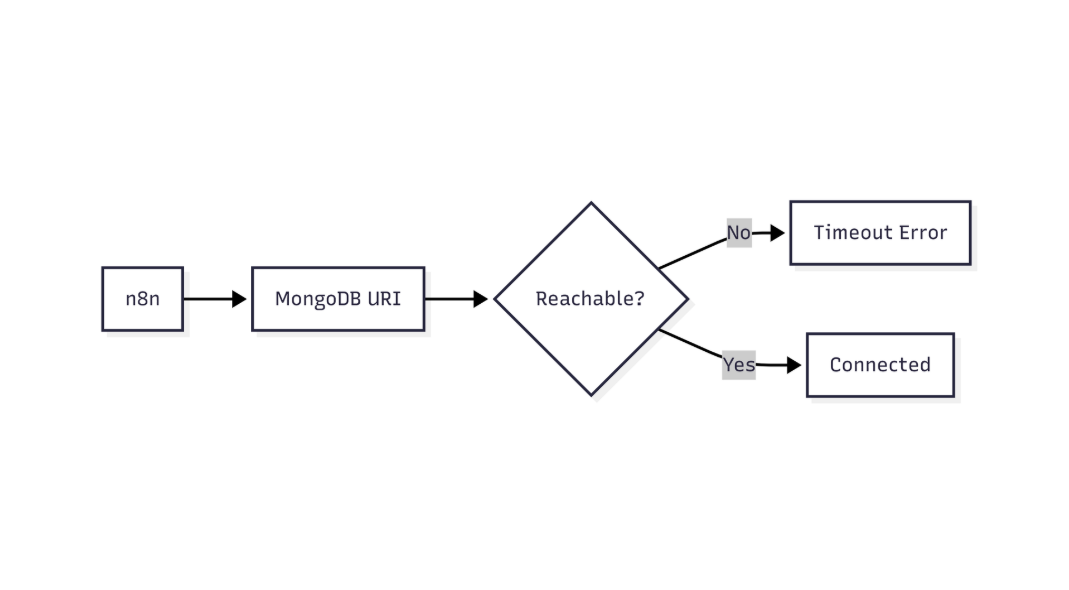
This flow shows how n8n validates MongoDB connectivity and identifies network or connection-level failures
| Root Cause |
Manifestation in n8n |
High parallelism – many MongoDB nodes run concurrently (e.g., inside SplitInBatches or Parallel) |
Each node opens its own connection; the pool fills before previous ops finish. |
Missing close calls – custom JavaScript creates a MongoClient without client.close() |
Stale sockets linger in the pool. |
Short waitQueueTimeoutMS – default 10 s; heavy load makes the driver wait longer than allowed. |
Immediate “exhausted” error even if the pool would free up a few seconds later. |
| MongoDB service limits – Atlas tier caps total connections (e.g., 500 for M10) |
n8n may reach the service limit before its own pool limit. |
3. Step‑by‑Step Diagnosis
3.1 Check the execution log
[2025-12-21 14:32:10] ERROR: MongoDB node failed – connection pool exhausted
3.2 Inspect driver stats (temporary JavaScript node)
Purpose: Retrieve the current connection count from MongoDB.
const { MongoClient } = require('mongodb');
const client = new MongoClient($node["MongoDB"].credentials.connectionString);
await client.connect();
Purpose: Query server status.
const serverStatus = await client.db().admin().command({ serverStatus: 1 });
console.log('connections.current', serverStatus.connections.current);
console.log('connections.available', serverStatus.connections.available);
Purpose: Clean up the temporary client.
await client.close();
Look for connections.current approaching the limit.
3.3 Confirm Atlas/cluster limits
Navigate to MongoDB Atlas → Network Access → Connection Limits and note the maximum allowed connections.
If connections.current ≈ maxPoolSize *and* the Atlas limit is higher, the bottleneck is inside n8n. If the Atlas limit is lower, you must stay within that ceiling.
4. Permanent Fixes
4.1 Increase the Pool Size (Safest first step)
Add maxPoolSize to the connection string **or** use the **Advanced Options** JSON field in the credential editor.
| Method |
Example |
| Connection‑string query |
mongodb+srv://user:pwd@cluster0.mongodb.net/mydb?maxPoolSize=200 |
| Advanced Options JSON |
{ "maxPoolSize": 200, "waitQueueTimeoutMS": 20000 } |
EEFA Note: Do **not** set maxPoolSize above the cluster’s allowed connections. Overshooting triggers “Too many connections” errors that affect all clients.
4.2 Reduce Parallelism
- Use `SplitInBatches` with a modest batch size (e.g., 50).
- Insert a `Delay` node between parallel branches.
- Consolidate multiple MongoDB actions into a single bulk operation where possible.
4.3 Explicitly Close Custom Clients
If you instantiate MongoClient in a **Run JavaScript** node, always close it:
await client.close(); // essential to free the socket
This diagram highlights how n8n verifies MongoDB credentials before allowing database access
4.4 Extend waitQueueTimeoutMS
When reducing concurrency is not feasible, increase the wait time:
mongodb+srv://.../mydb?maxPoolSize=150&waitQueueTimeoutMS=30000
EEFA Warning: A long wait queue can mask performance problems. Use only after confirming the pool size is adequate. When integrating MongoDB with n8n version compatibility errors might occur, this might help n8n mongodb version compatibility issues.
4.5 Monitor & Alert
Create a dashboard (Grafana, Datadog, etc.) that tracks connections.current via the MongoDB Atlas metrics API. Set an alert at **80 %** of maxPoolSize.
5. Quick‑Reference Checklist
| Steps |
Action |
| 1 |
Add maxPoolSize (≥ 150) to the MongoDB credential connection string. |
| 2 |
Restart n8n (docker restart n8n or service reload). |
| 3 |
Verify logs no longer contain “connection pool exhausted”. |
| 4 |
If the error persists, reduce parallel nodes or batch size. |
| 5 |
Ensure any custom MongoClient instances are closed. |
| 6 |
Increase waitQueueTimeoutMS to 20 000 ms only if needed. |
| 7 |
Add monitoring for connections.current and alert at 80 % usage. |
6. Real‑World Example: Bulk Import with Controlled Parallelism
Purpose: Show a minimal workflow that respects the connection pool.
6.1 Nodes definition (excerpt)
{
  "nodes": [
    {
      "name": "Read CSV",
      "type": "n8n-nodes-base.readBinaryFile",
      "parameters": { "path": "/data/users.csv" }
    },
    {
      "name": "SplitInBatches",
      "type": "n8n-nodes-base.splitInBatches",
      "parameters": { "batchSize": 100 }
    },
    {
      "name": "MongoDB Insert",
      "type": "n8n-nodes-base.mongodb",
      "parameters": {
        "operation": "insert",
        "collection": "users",
        "jsonParameters": true,
        "document": "={{$json}}"
      },
      "credentials": { "mongoDb": "MongoDB (prod)" }
    }
  ]
}
6.2 Connections (excerpt)
{
  "connections": {
    "Read CSV": {
      "main": [
        [{ "node": "SplitInBatches", "type": "main", "index": 0 }]
      ]
    },
    "SplitInBatches": {
      "main": [
        [{ "node": "MongoDB Insert", "type": "main", "index": 0 }]
      ]
    }
  }
}
*Why it works:*
– SplitInBatches caps concurrent inserts to 100, keeping the pool well below the default 100‑connection limit.
– With maxPoolSize=200 raised in the credential, the workflow can process tens of thousands of records without exhausting the pool.
7. When to Re‑Evaluate the Fix
| Situation |
Recommended Action |
| Atlas upgrade (higher connection allowance) |
Re‑calculate an optimal maxPoolSize (e.g., 300) and test. |
| New workflow adds ≥ 10 parallel MongoDB nodes |
Reduce batch size or increase pool size, then re‑run diagnostics. |
| Persistent “Too many connections” after raising pool size |
Lower maxPoolSize to stay under Atlas limit; revisit concurrency design. |
Conclusion
The “connection pool exhausted” error is a symptom of mismatched concurrency and driver limits. By raising maxPoolSize within the bounds of your MongoDB tier, controlling parallelism, and ensuring every custom client is closed, you eliminate the error for the majority of production workloads. Complement the fix with monitoring and alerts so you can react before the pool reaches critical usage. This disciplined approach keeps n8n workflows performant, reliable, and scalable in real‑world deployments.